eGroup Leader Dashboard
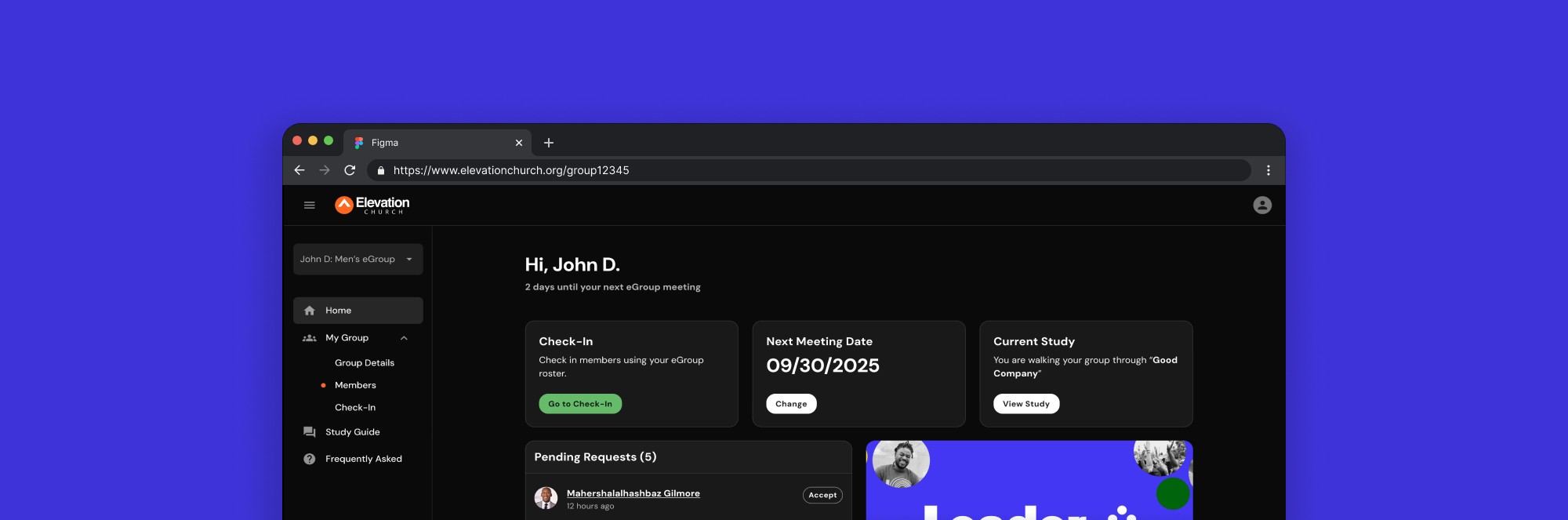
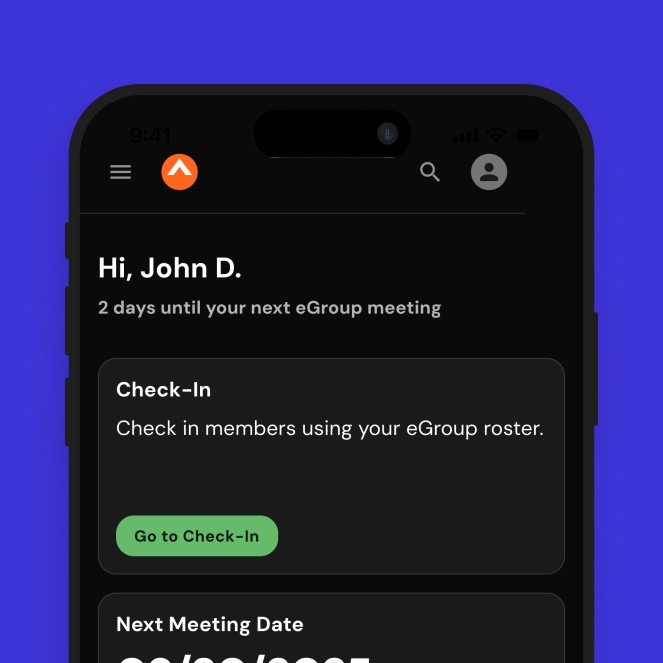
Unifying a fragmented multi-platform experience into a single dashboard that helps Elevation Church's 2,000+ eGroup leaders manage their groups with consistency and confidence.
Website
4 months
Lead Designer
Context
Supporting Leaders From Behind the Scenes
At Elevation Church, eGroups are small groups that help guests make a large church feel small and personal. With over 1,200 groups meeting year-round, each led by at least one leader, these communities rely on consistent and capable leadership. However, managing group details, attendance, communication, and study curriculum required navigating multiple disconnected tools. Without a single place to do this, even routine tasks introduced friction, impacting not only leaders, but the overall health, engagement, and growth of each group.
PROBLEM
The existing leader experience relied on two separate websites and additional third-party tools to complete key tasks. Attendance tracking, group updates, and other responsibilities were split across platforms, increasing cognitive load and friction. While each system functioned well on its own, the fragmented experience caused confusion, led to missed responsibilities, and limited the stability and impact of eGroups at scale.
GOAL
Create a unified dashboard where eGroup leaders could confidently manage all aspects of their group in one place. The solution needed to promote consistency, reduce friction in completing leader tasks, and provide clear access to viewing and editing group details, members, and curriculum content.
Research
Understanding The Problem
To understand where the existing leader experience was falling short, I conducted interviews with 9 eGroup leaders, gathered internal feedback from staff, and performed heuristic evaluations of the current tools.
While none of the systems were fundamentally broken, patterns quickly emerged that pointed to fragmentation and complexity as barriers to consistent leadership.
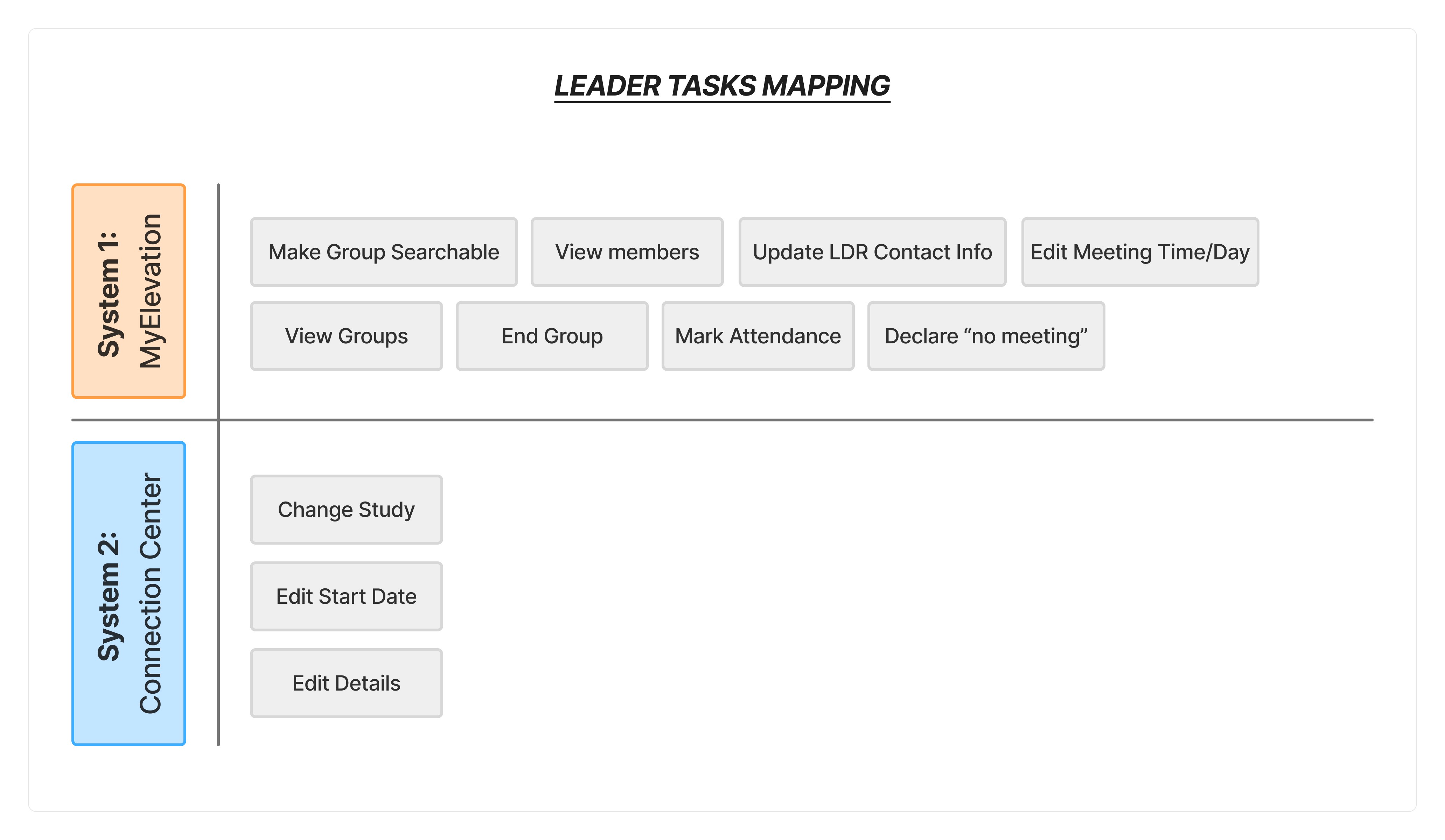
Mapping core leader tasks across systems revealed how completing core responsibilities was a fragmented experience and depended on leaders remembering where tasks lived.
WHAT FRAGMENTATION LOOKED LIKE
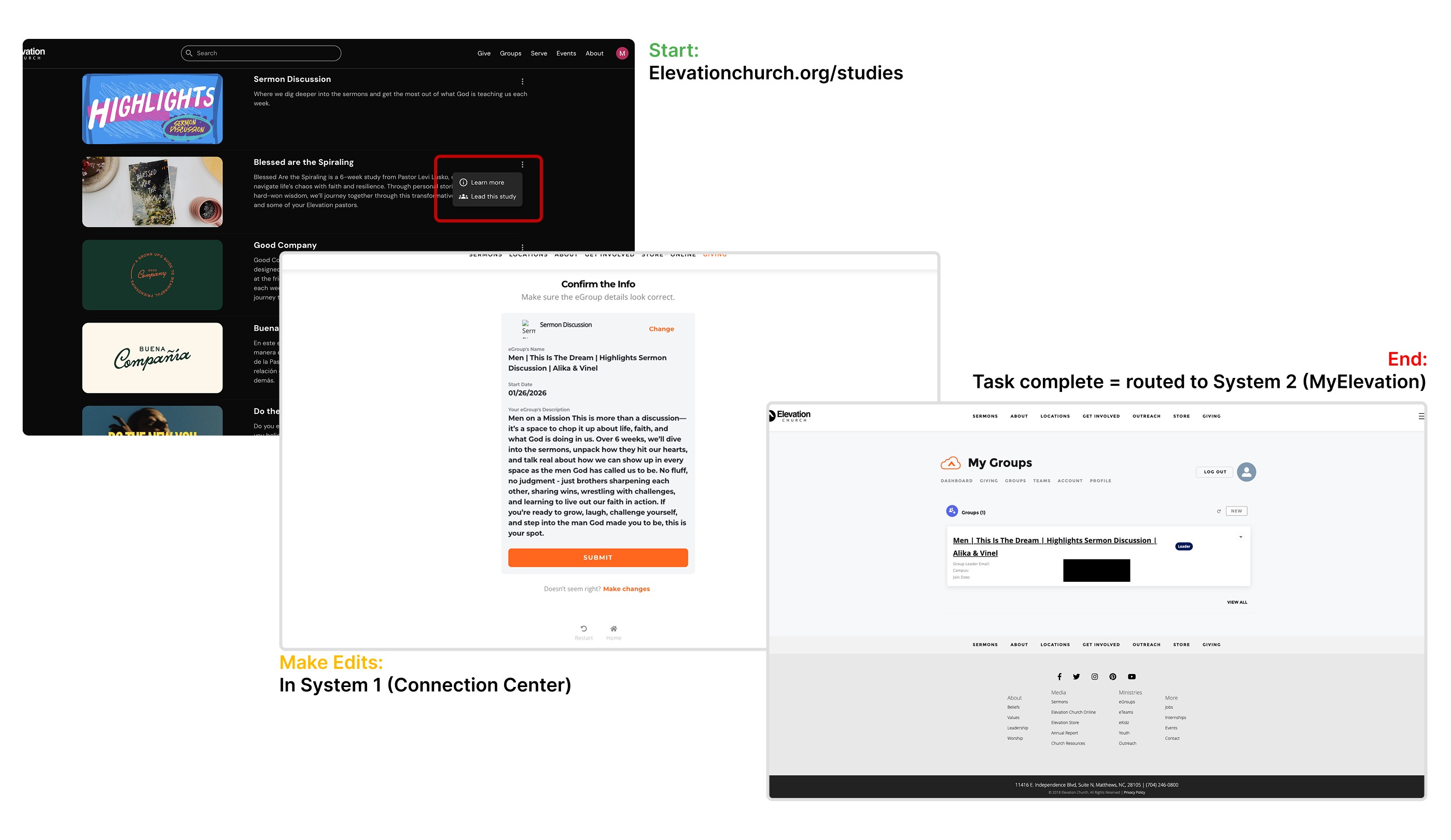
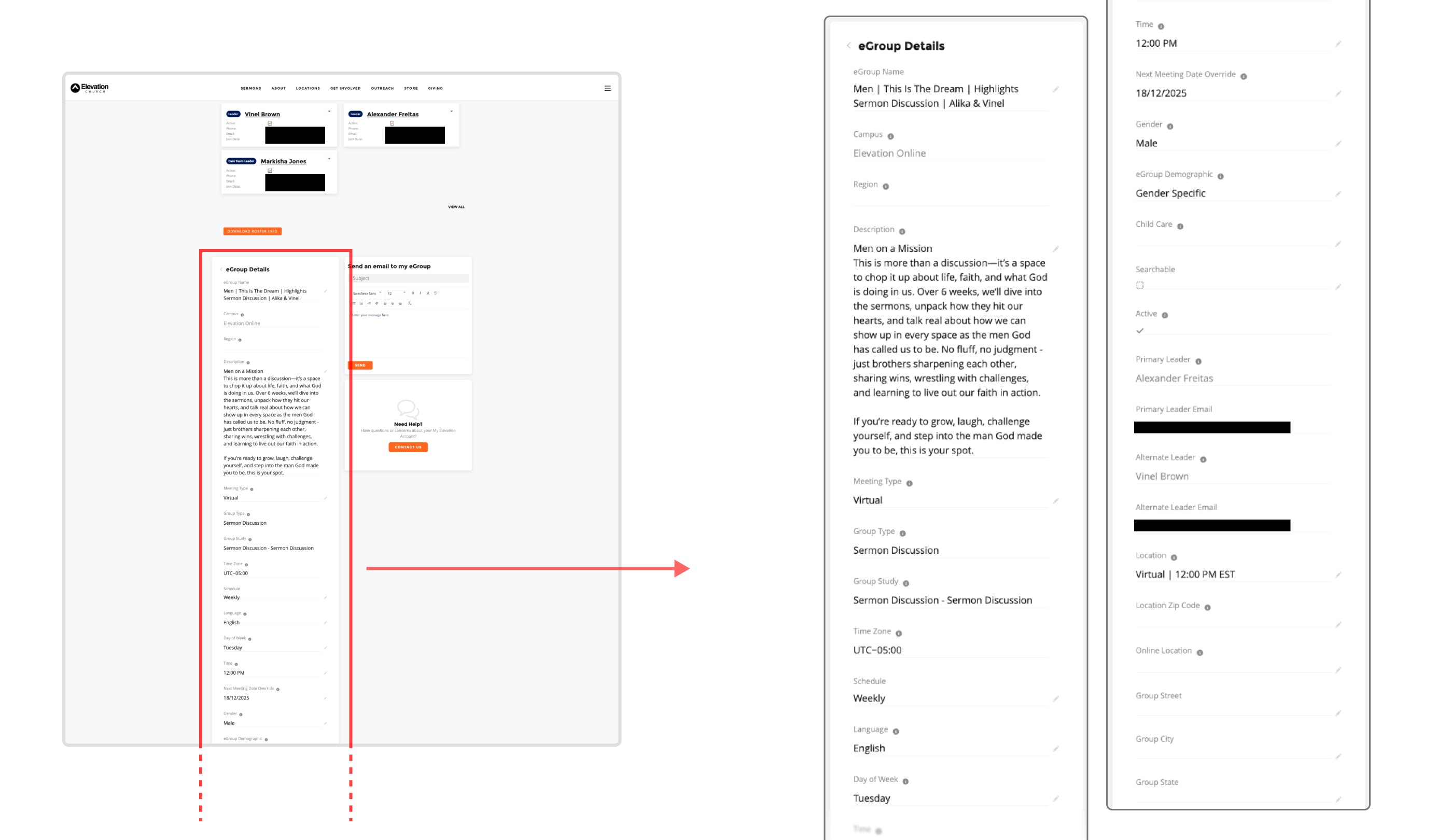
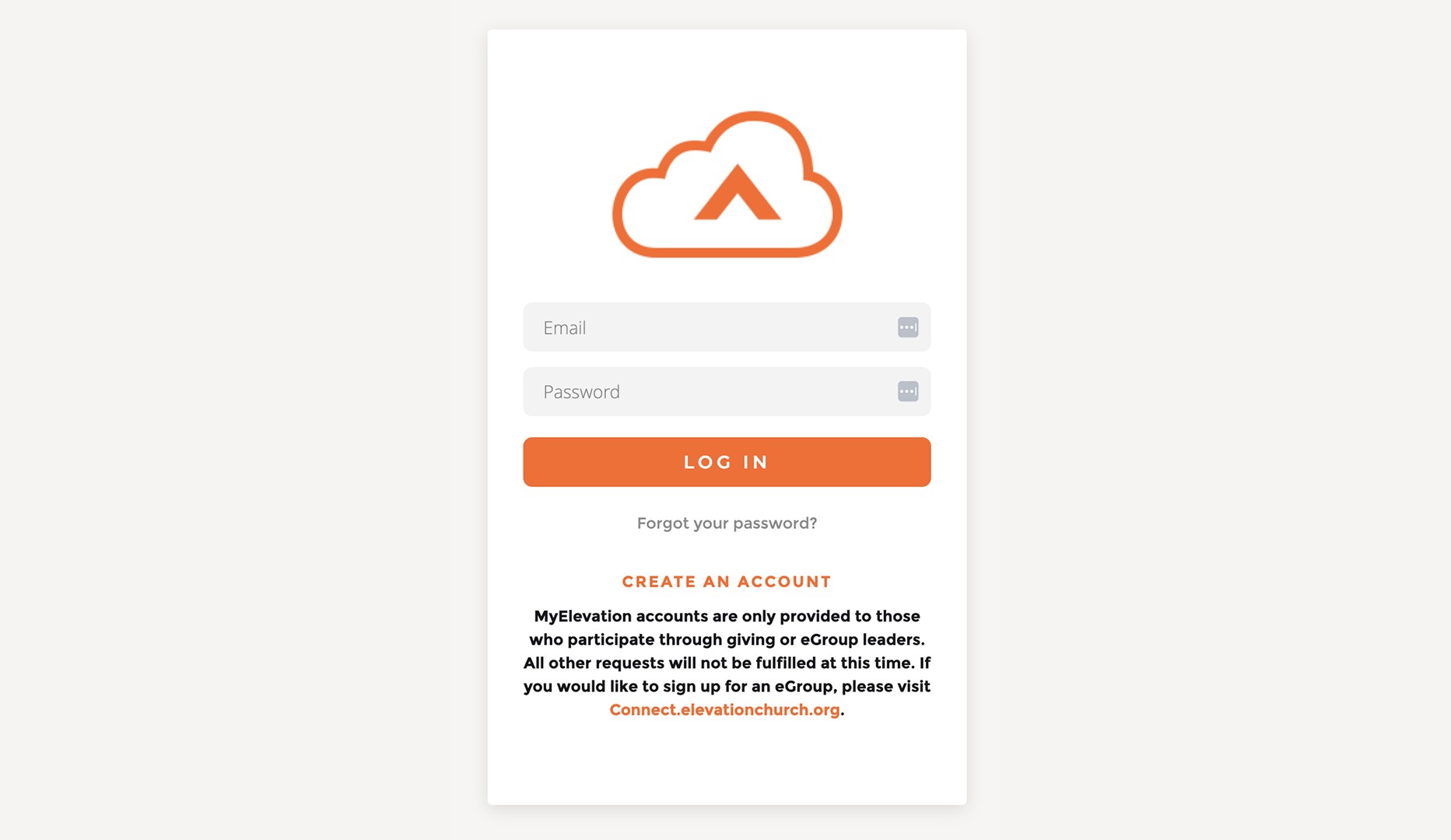
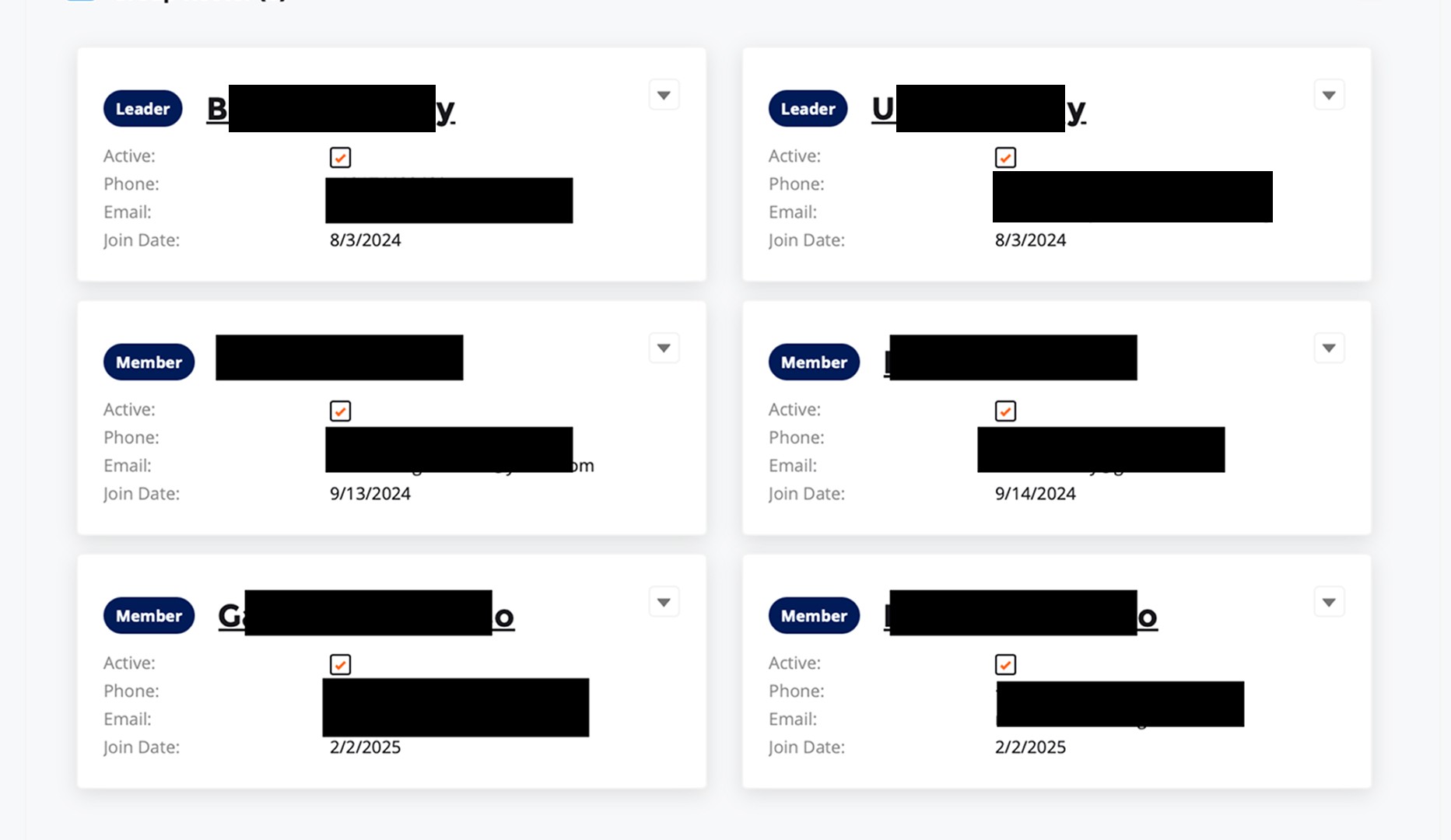
Changing a group’s study began on another website: Leaders had to initiate a core leadership task outside of the existing tool before being routed to a separate system.
Too much information presented at once: Dense, scroll-heavy layouts increased cognitive load and made routine updates harder to complete quickly.
Leader tools used an old login system: Authentication was separate from the new site-wide account experience, reinforcing inconsistency across platforms.
Limited visibility into group members: Leaders could only see basic member details (name, email, join date, status), limiting their ability to support and follow up outside of scheduled meeting days.
INSIGHTS & TAKEAWAYS
Research highlighted how the leader experience was fragmented and administrative, limiting its ability to truly support leaders.
Fragmentation was more structural than visual (multiple systems/logins created friction).
Information density increased cognitive load instead of clarifying action
The tool prioritized administration over relational leadership
Unifying authentication creates a foundation for future web and mobile integration
Design
Concept Exploration
With a clear picture of where the existing experience was breaking down, the design phase focused on consolidation as the core principle. Rather than patching individual tools, the goal was to create a single, intentional environment where leaders could complete every core responsibility without losing context or switching systems. Exploration focused on what belonged on the home screen, how member management and check-in should behave at the task level, and how to present group information in a way that reduced cognitive load without sacrificing the ability to make edits. Identifying constraints early shaped how that exploration was prioritized.
Limitations:
A key stakeholder transition mid-project required the team to reestablish alignment from the ground up, making communication and change management as critical to progress as the design work itself.
Significant backend restructuring required close collaboration with the data team and engineering to understand how eGroups would be handled programmatically before the right design decisions could even be made.
SOLUTION EXPLORATION
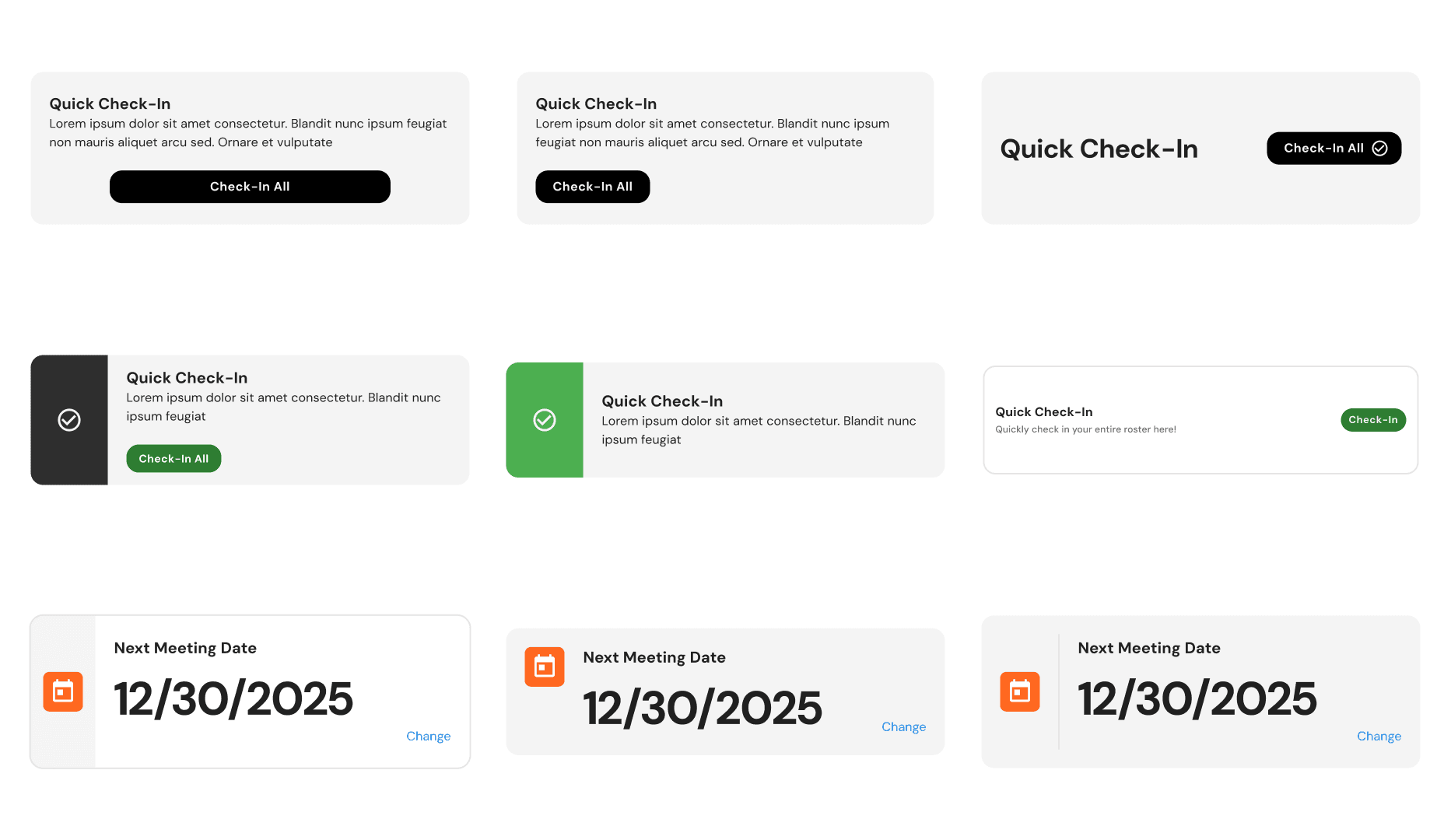
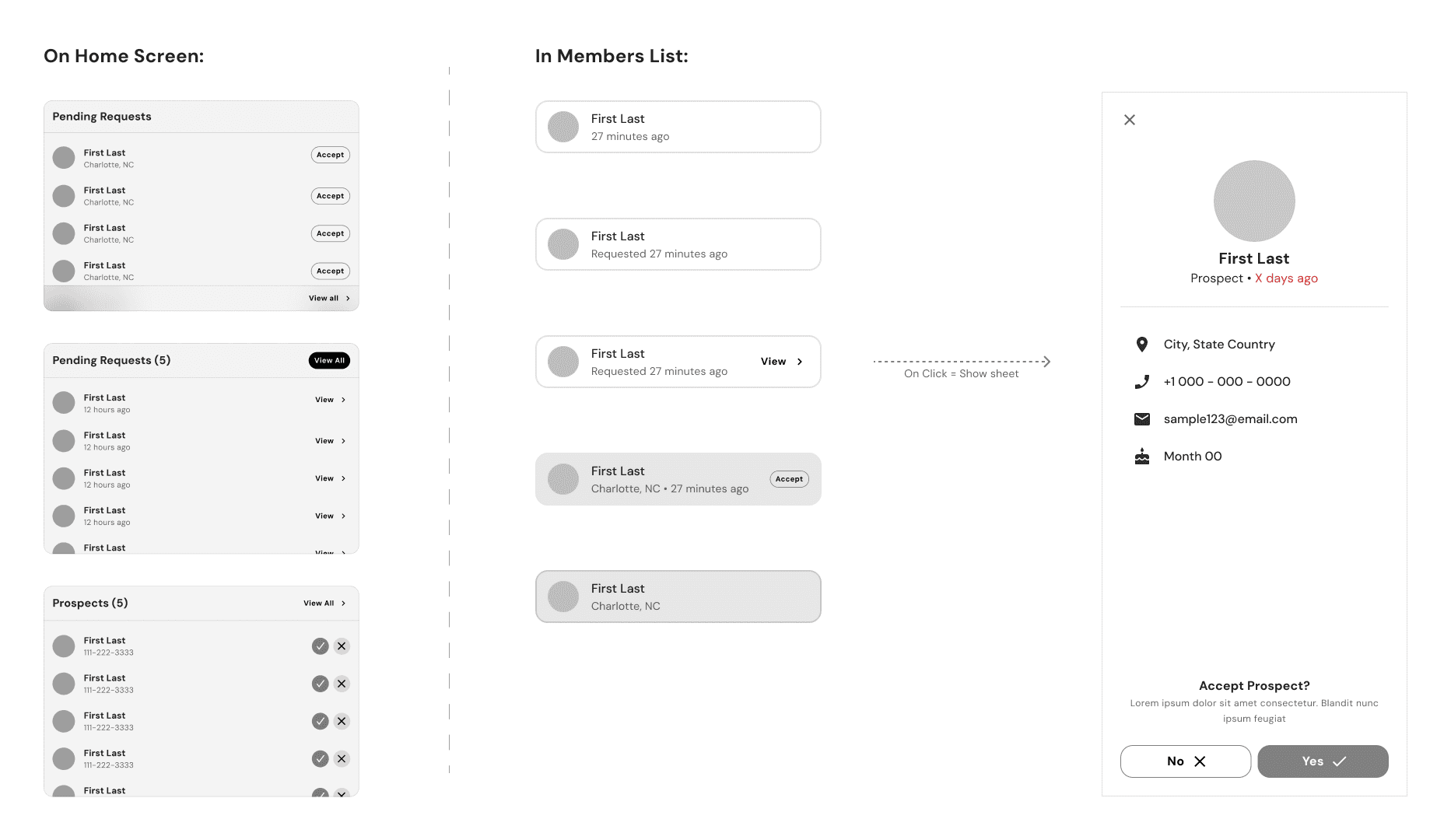
Widget iterations for high-frequency actions that would live on the home screen
Explored how prospects would be presented to help streamline approvals, rejections, and tracking for more accurate and measurable data
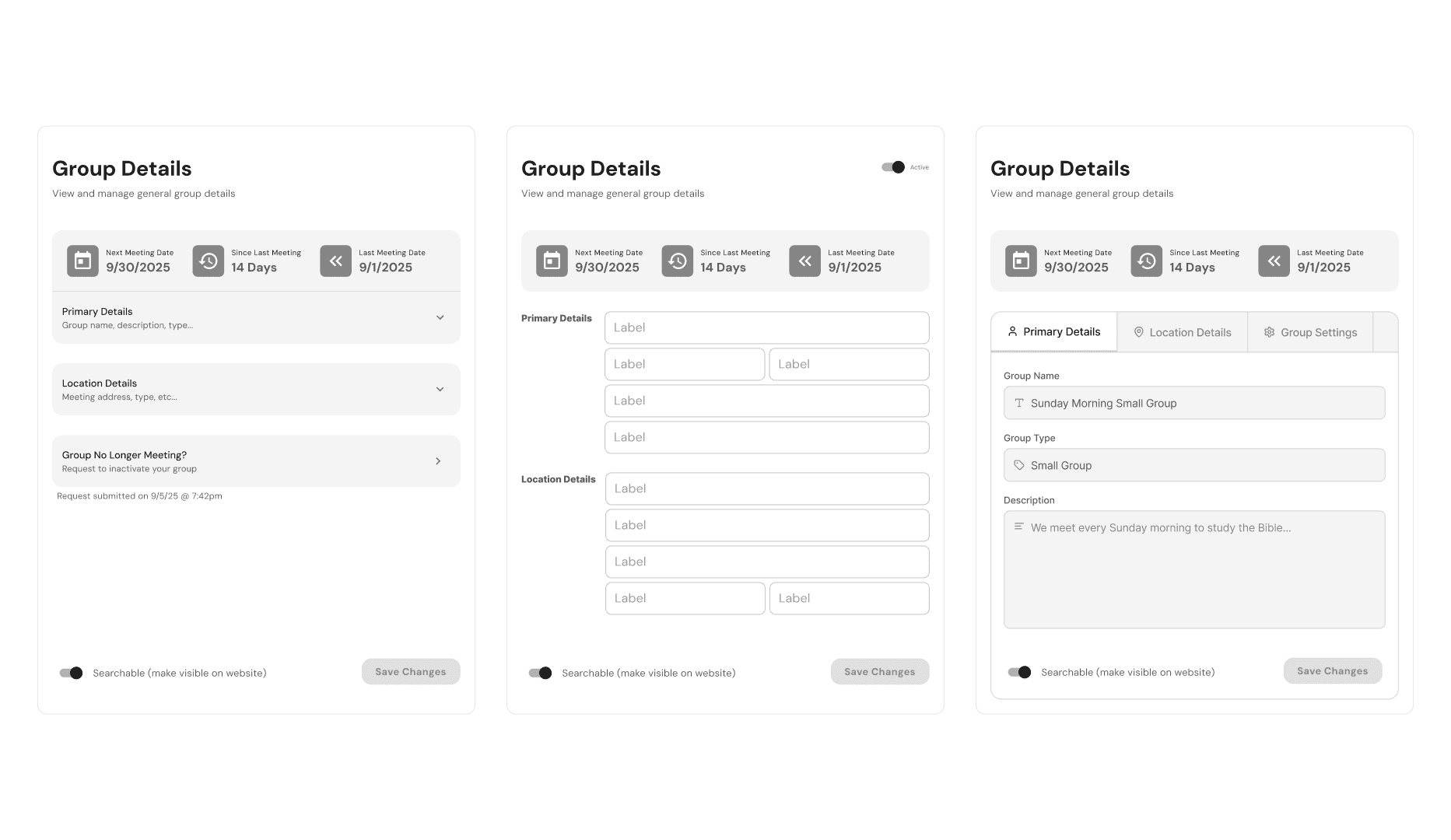
Explored layout options for group information with a focus on reducing cognitive load while retaining editing functionalities
CONCEPT VALIDATION
Leaders found value in an intentional home screen that surfaced high-frequency actions
Quick access to check-in from the dashboard improved efficiency during meeting days
Requiring a reason when denying a member request increased data accuracy and leader accountability
Switching between multiple groups required clearer placement and feedback
The “Check in All” quick action created concerns around data accuracy and leader integrity
Ad/campaign space on the home screen competed with operational tasks and raised questions around content ownership
HIGH IMPACT REVISIONS:
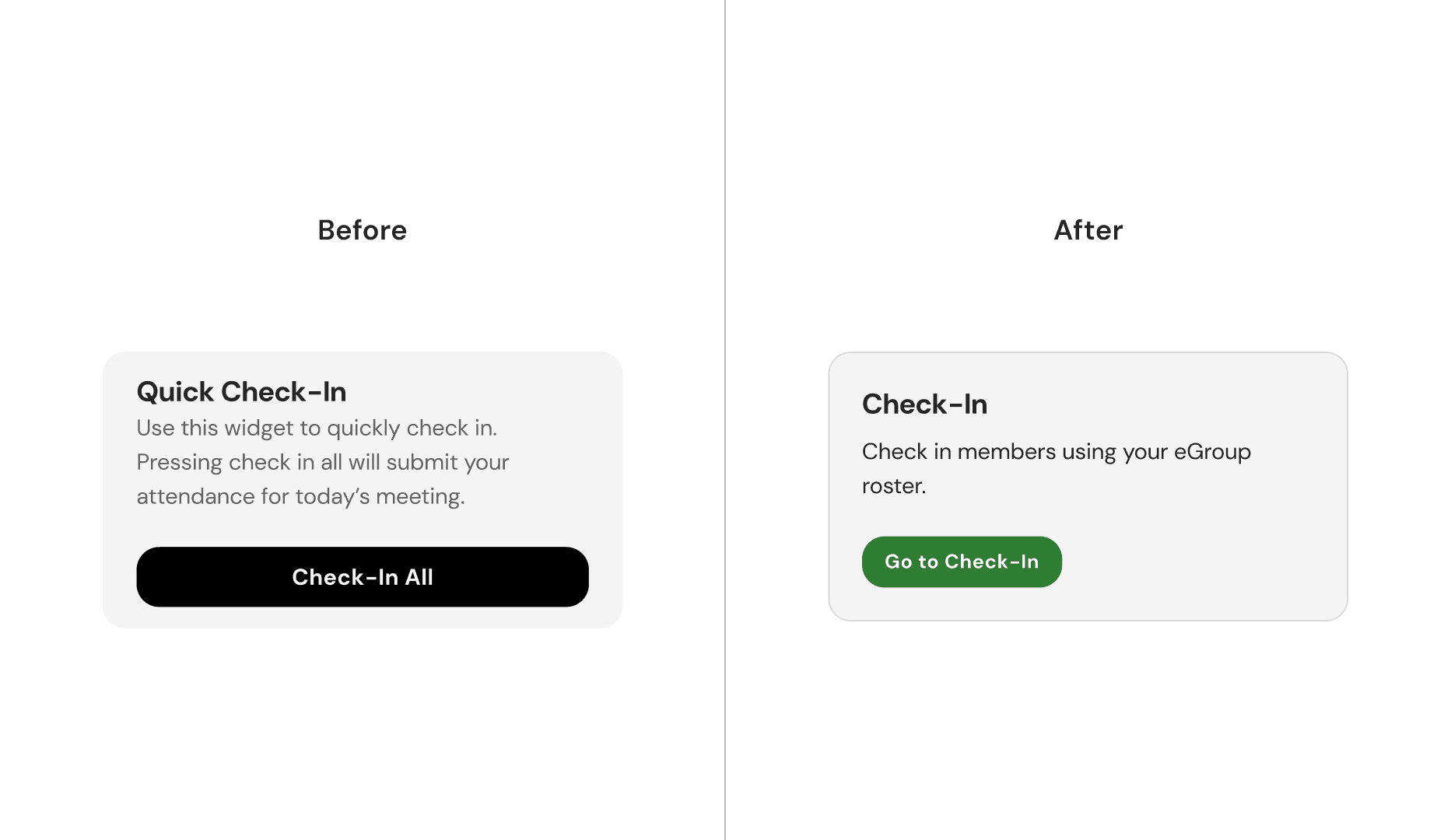
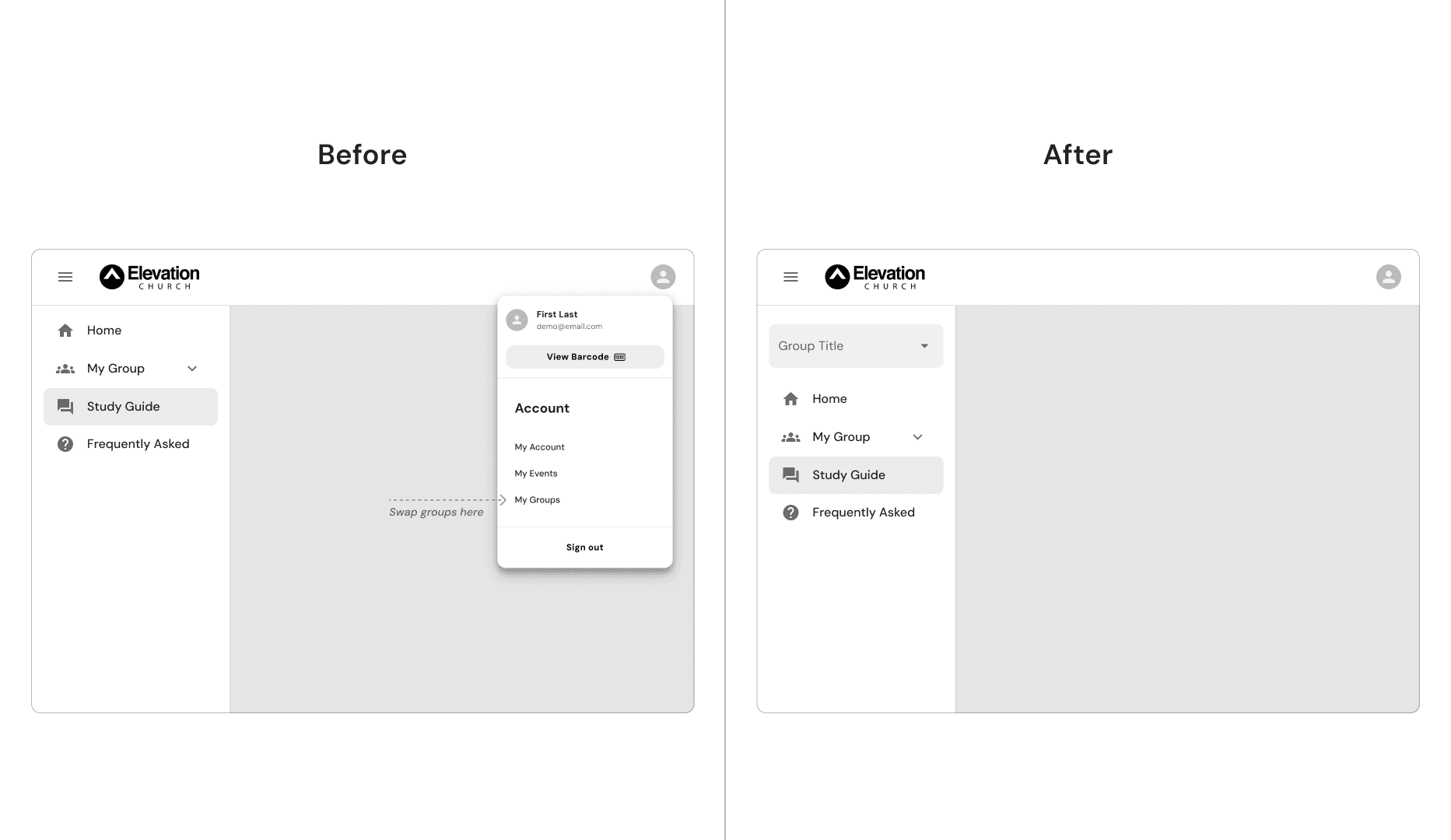
Replaced the “Check in All” shortcut with direct roster access to ensure data accuracy and leader accountability. Revised group switching using clearer placement to improve visibility.
INTERNAL TESTING (FULL CONCEPT):
88%
successfully updated their study without assistance
9/12
reported greater confidence in check-in accuracy & speed
100%
completed core workflows without leaving the dashboard
Internal testing confirmed that consolidating leader responsibilities into a unified dashboard improved task clarity, operational confidence, and overall efficiency. With strong performance across core workflows, the design was finalized in preparation for beta testing.
Final Design
eGroup Leader Dashboard
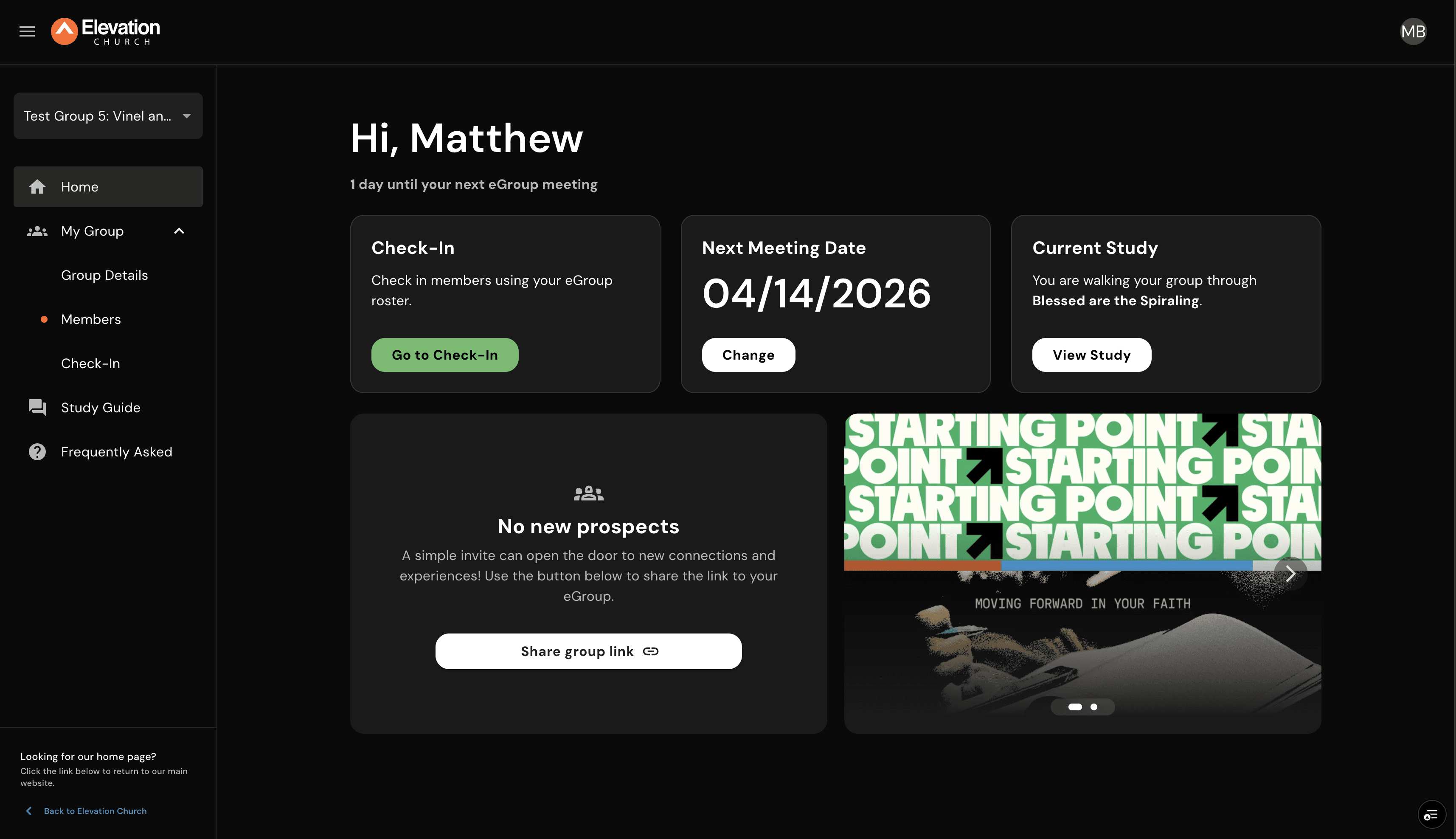
Leading From A Unified Place
Manage your group’s study, member requests, check-in, and more from one cohesive dashboard, eliminating the need to switch between multiple tools or lose context.

Seamless Study Management
Update your group’s study directly within the dashboard. Select a curriculum, update your description, and set effective dates within a singular workflow.

Intuitive Check-In
Access a streamlined roster view from the home screen or navigation to mark attendance quickly and accurately. Built for real-time use, leaders can batch select and submit members, spending less time managing tasks and more time leading.

Structured Member Requests
Review and respond to join requests with clarity and accountability. When declining a request, leaders can now select a reason, providing campus staff with better insight to support guests effectively.
Results
Launch & Learn
Across a four-week beta period, roughly 40 eGroup leaders tested whether consolidation actually changed the day-to-day experience of leading a group. The conclusions were clear in some places and instructive in others, which is the value of testing with real leaders before a real launch.
MEASURED IMPACT DURING BETA
93%
Rated check-in VERY EASY (the most used leader task)
100%
agreed to use new system (80% with full confidence)
96.5% avg.
Mobile & desktop ease rating (w/ full functionality for both)
QUICK WINS & OPPORTUNITIES
The fastest gains came from the lowest-friction tasks. The Week 1 login score sat at 43%, then jumped to 100% for Weeks 2-4 after creating clearer navigation queues and signals for how a leader can get to the dashboard. Consolidation paid off most where it removed steps, and the beta loop tightened the rest.
Multiple leaders flagged that "Last Date Attended" for members was now shown in a way that wasn't easily digestible. It was a small detail in the legacy system that did real work for proactive follow ups, not having it caused friction and required us to consider what other smaller pieces we need to retain in order to not disrupt existing workflows.