Ledger
Designing a tool that gives users a structured, single source of truth for their digital accounts and personal contact information, so navigating life changes doesn't mean starting from scratch.
Application
10 Days
Personal Project
Background
When a Simple Change Isn't So Simple
Imagine opening your banking app and trying to log in. The verification code never arrives. Then you remember…you changed your phone number last week. You update it. But now you're wondering:
Which other accounts are still tied to the old number?
How many others there are?
Which ones actually matter?
I experienced this firsthand. What started as a simple information change quickly turned into a manual audit of my entire digital footprint.
PROBLEM
In today’s digital-first world, accounts exist for everything: financial institutions, large retailers, subscriptions, and professional services, each handling updates differently. I observed that there is no centralized way to update accounts when contact info changes, nor is there a clear way to see what’s affected. The result is repetitive manual work and lingering uncertainty about what was missed.
GOAL
Create a solution that simplifies the process of keeping up with all of your digital accounts and makes it easy to update your information, ultimately reducing the uncertainty of what's connected to what.
I quickly learned that the obvious solution was also the most ambitious: "What if I could update my contact information once, and every connected account updated with it?" This would make the solution a centralized layer that removed the need for repetitive manual work. In theory, it solved everything. In practice, it introduced multiple problems.
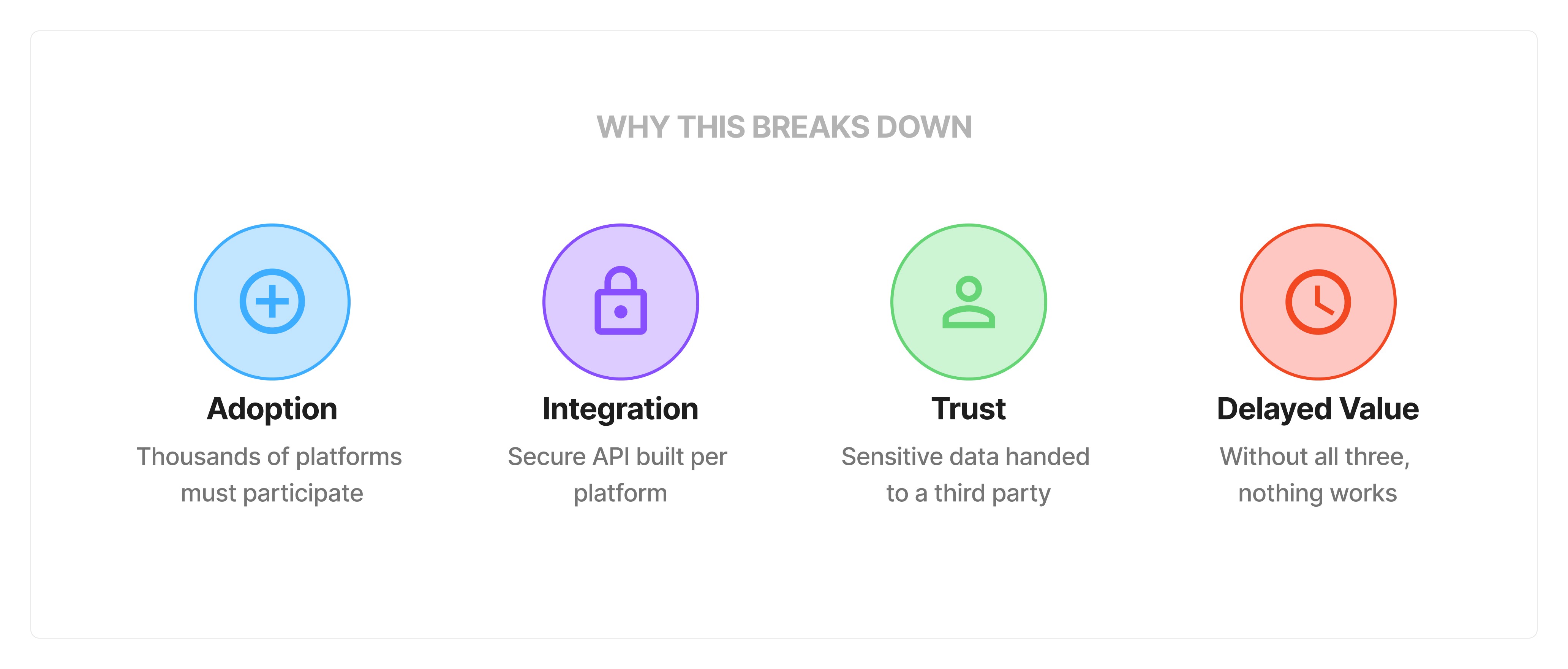
These four areas highlighted that the issue wasn't just a coordination problem, but also a trust problem, and a one-size-fits-all solution wouldn't solve it without restructuring how every connected platform handles identity. So my question changed,
Q: Where does the real breakdown happen for users today?
A: Before the update process even begins.
I noticed that most people couldn't confidently recall how many accounts are tied to an email, which ones are critical, or which ones they no longer use. At this point I started to realize that the value wasn't automation, it was clarity and visibility.
With a new understanding of the problem, I worked to create the simplest structure that could support it. Adding too much would make the system hard to maintain. Too little and it couldn't answer the questions that actually mattered. The system centers around two objects:
Object 1
IDENTIFIERS
Email Addresses & Phone Numbers. These serve as the the anchor points that everything else depends on.
Object 2
ACCOUNTS
The connected services associated with an identifier. Has related metadata attached like category, risk level, status, and more.
Reevaluating the Primary User
I also had to decide who this was actually for. User 1 was someone reactive, already mid or post transition, & needing help immediately. User 2 is proactive, someone with the ability to prepare before the transition happens.
Why the adjustment? The reactive user needs triage. That scenario calls for a different approach entirely. This solution aims to add value for the proactive user, who realizes that clarity beforehand is what makes the process easier when it arrives.
User 1
REACTIVE
Already behind & scrambling
Mid/Post transition. Needs help ASAP
User 2
PROACTIVE
Has time & availability
Wants clarity before the chaos
Preparing for Design
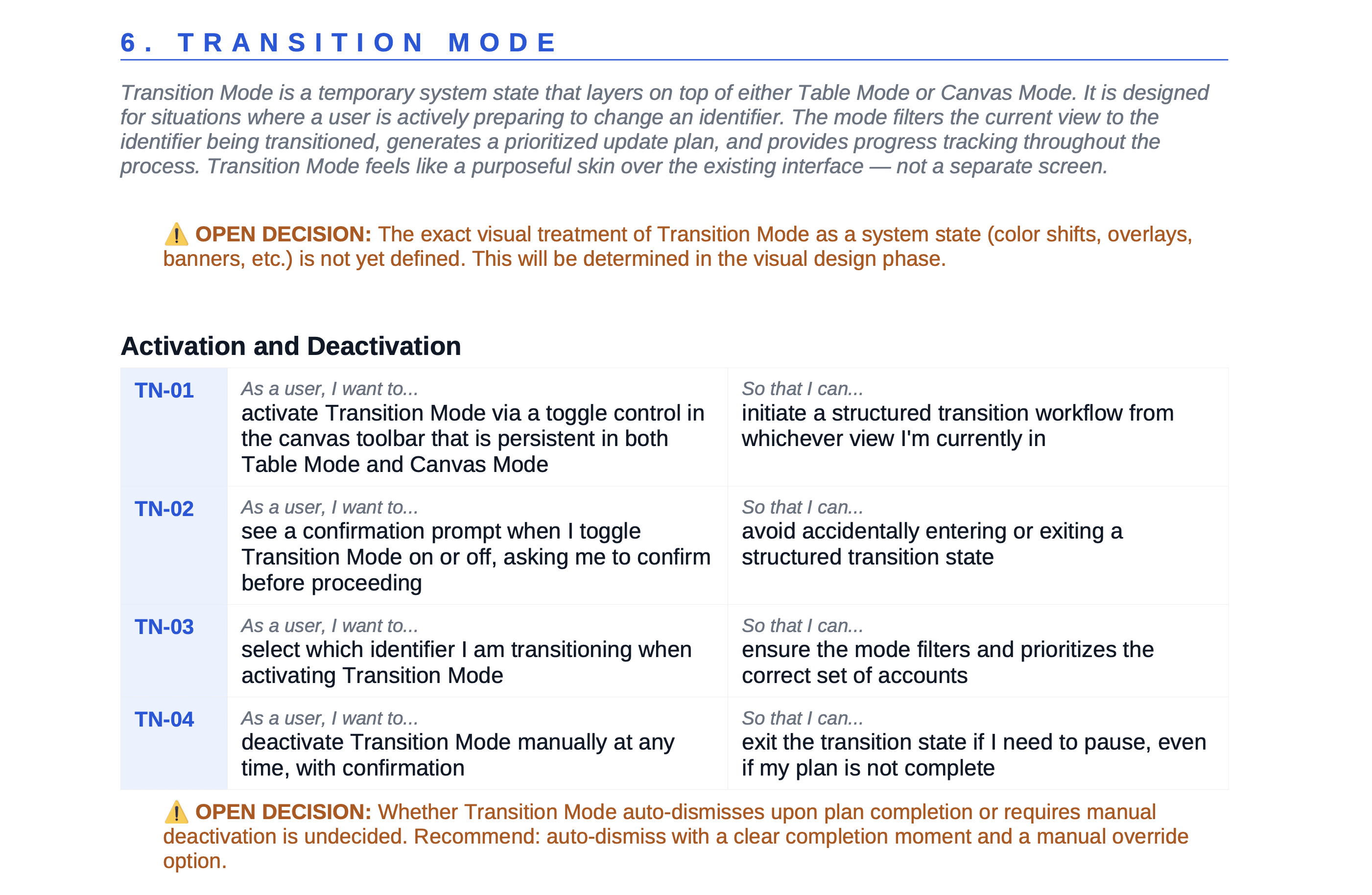
With the model defined and target user rescoped, I created documentation that outlined the full concept and corresponding system requirements before designing a single screen. This included open decisions that still needed resolution before design efforts could begin. Each was worked through by asking the same question: What does this moment need to do for the user, and what is the simplest way to do it well? View the full document here.
After creating the model, I needed to determine how users would actually interact with it. Rather than designing four separate experiences, I designed four entry points into the same structure, each one optimized for a different need. Every surface answers a different question, but they are all asking about and focused on the same underlying data.
01
DASHBOARD (HOME)
Answers: Where do I stand right now? High-level overview of the user's full footprint (total identifiers, total accounts, and high-risk flags before any deeper action is needed).
02
TABLE
Answers: What do I have and what's its status? The operational layer where the user can filter by risk level, update account statuses, and manage account metadata all in one place.
03 - Primary View
CANVAS
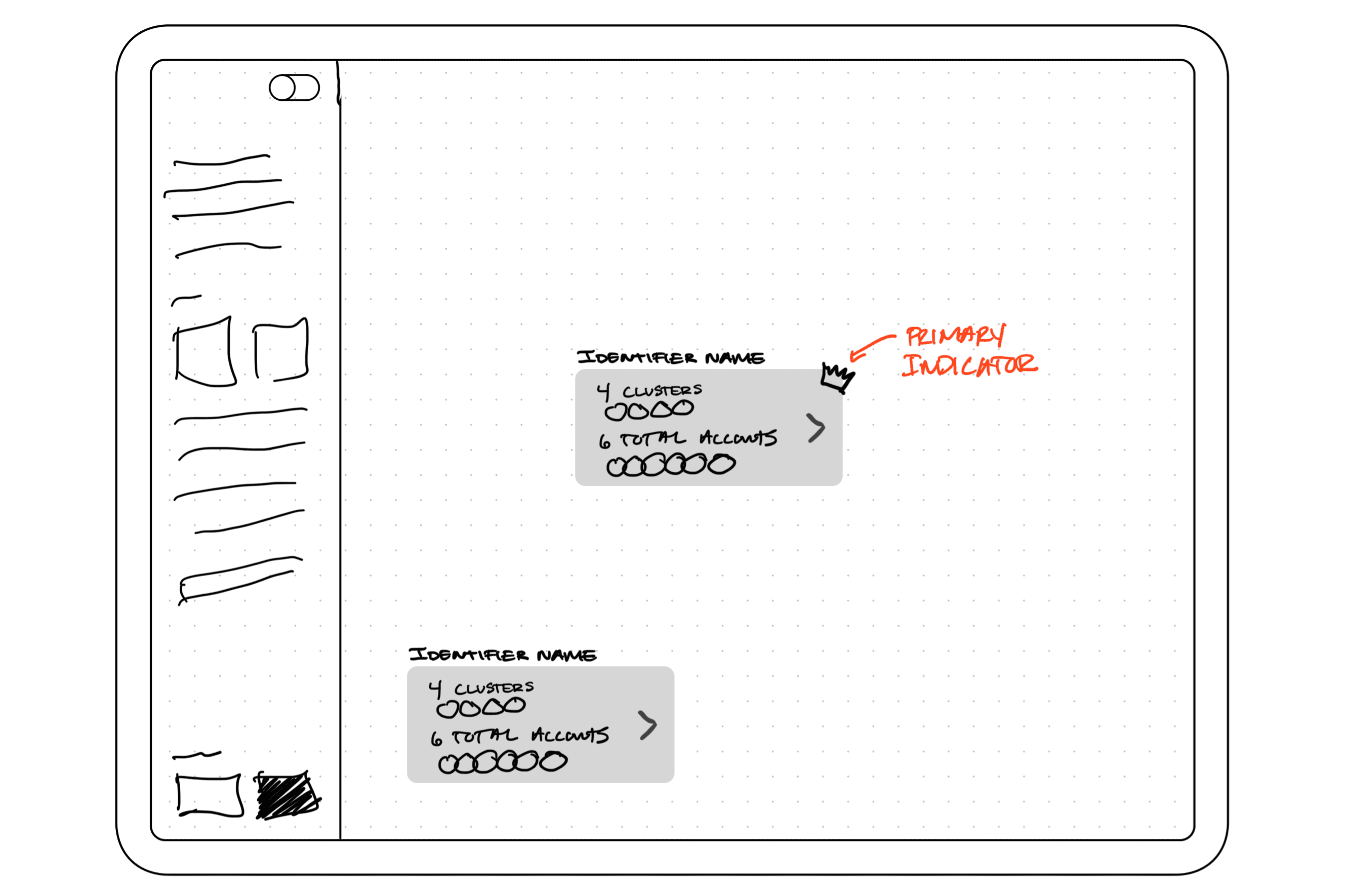
Answers: How is everything connected? A list can describe accounts, but it can't reveal the relationships between them. The canvas give the user the ability to visualize the core value of the product.
04 - High Value
TRANSITION MODE
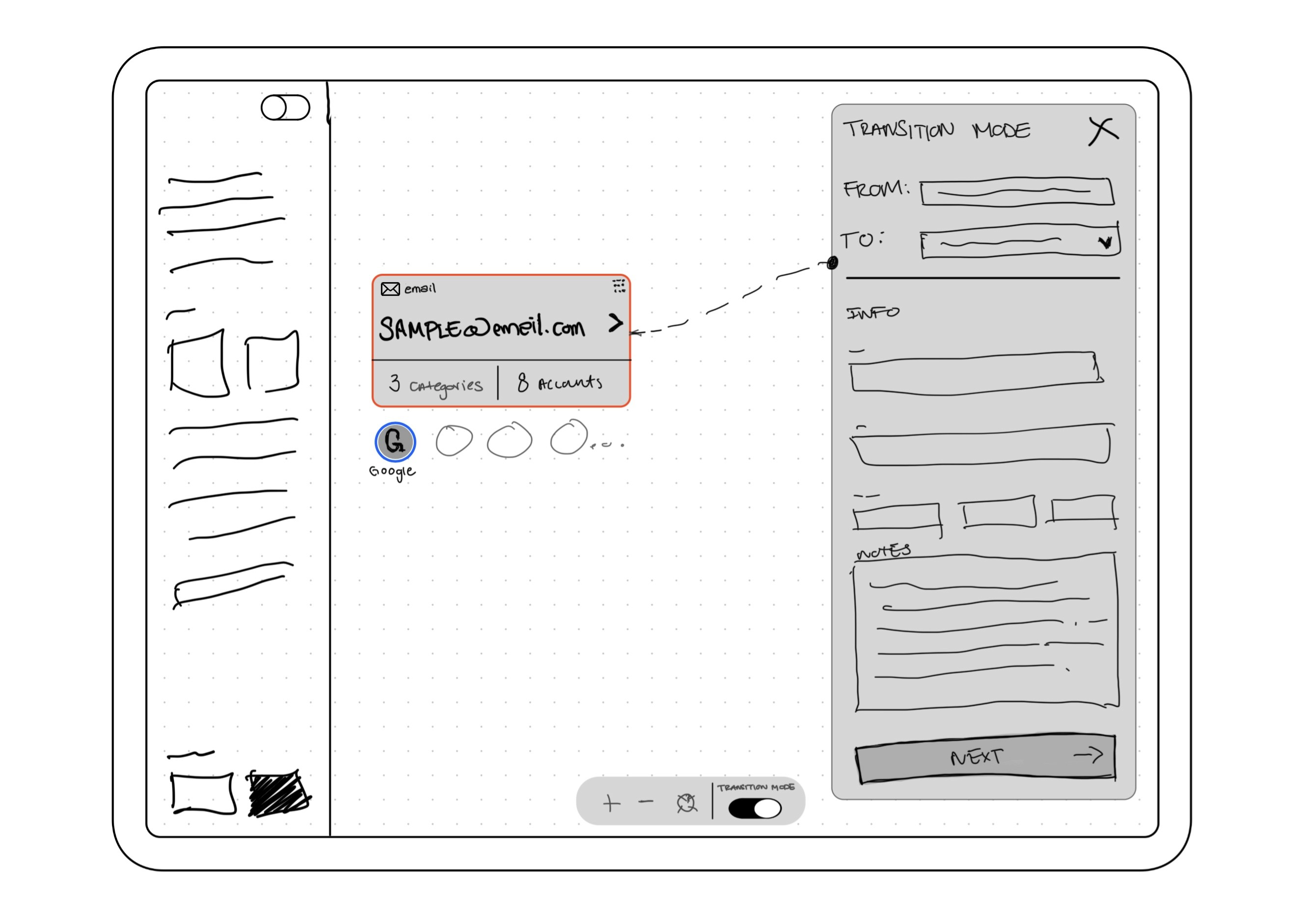
Answers: What do I do when there's a change? Activated when an identifier is changing, it filters affected accounts by priority and creates a plan for updating them. The inventory now becomes operational.
Revised Concept
Two Decisions That Changed the Product
Once I had a mental model scaffolded and my initial ideas for how I wanted the product to look, I began building. During early concept work I realized that two of my original assumptions needed to change, and each one shifted the product in a meaningful way.
DECISION 1: Adding More Value to the Canvas
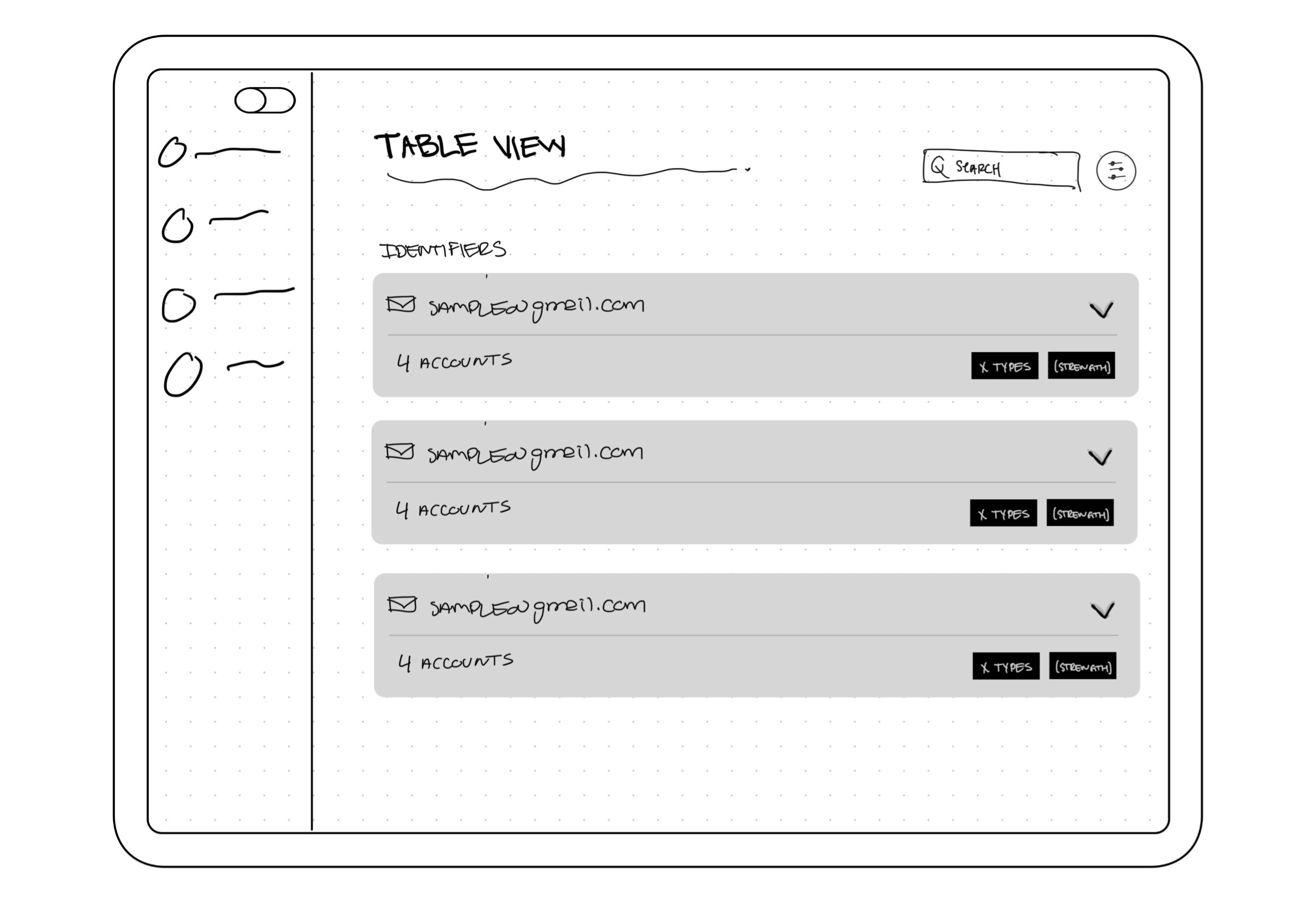
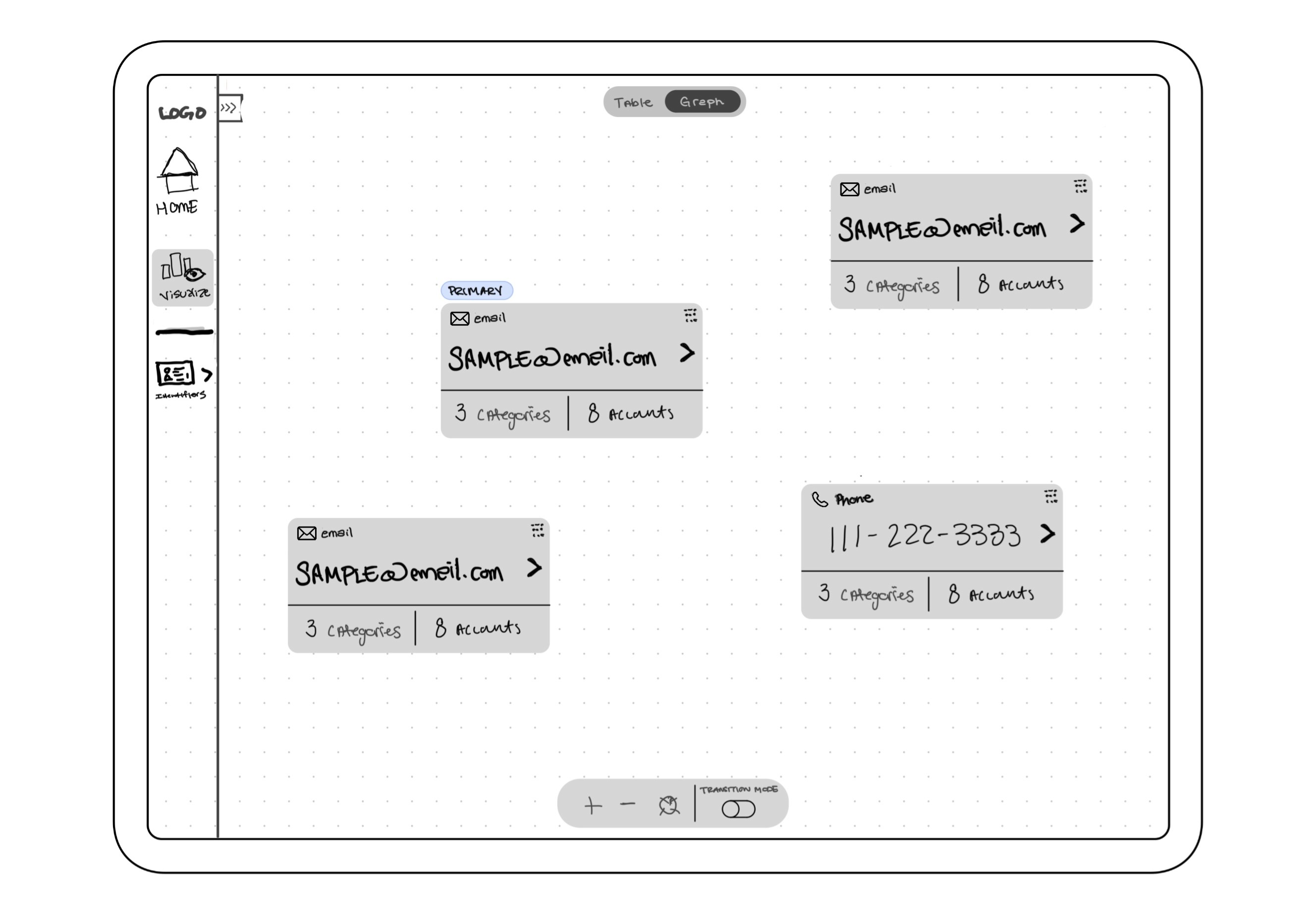
The initial concept centered entirely around the Table view. During early concept refinement, I realized that although the table accurately described WHAT a user had, it revealed nothing about why it mattered. The relationship between identifiers and accounts (which is the entire argument for the product's existence) was invisible. A list organizes information but it doesn't show that relationship well. Recognizing that gap led me to revise the Canvas, which now visualizes those dependencies spatially. What started as an optional enhancement became the primary view because it was the first time the product's core value was actually visible.
DECISION 2: Transition Mode Needed Structure
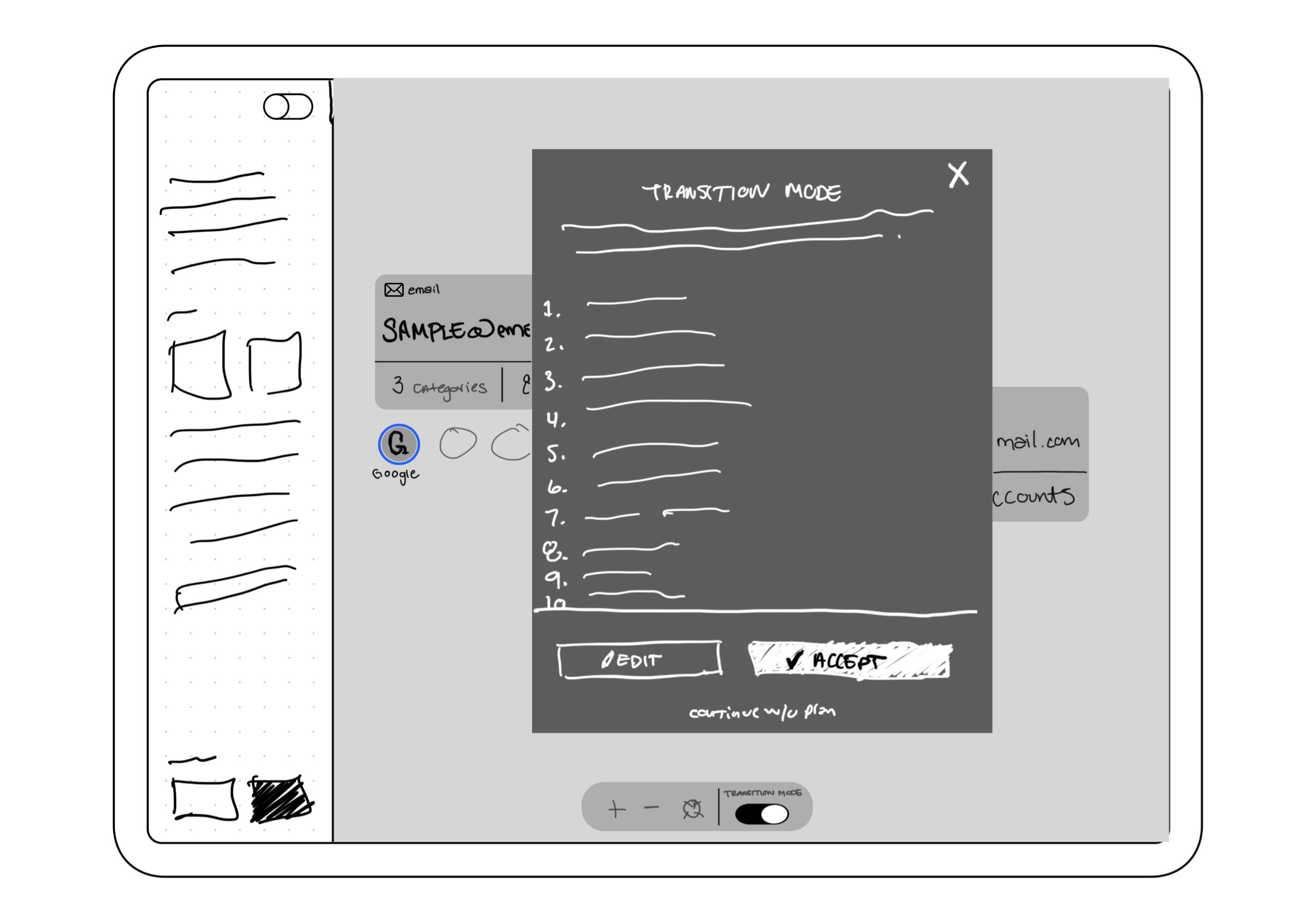
The first version of Transition Mode was a filtered view, accounts sorted by risk and tied to the changing identifier. It surfaced the right information but stopped short of telling users what to do with it. At the moment a user needs the most clarity, the product was making them think. I decided the fix was an autogenerated plan that sequences accounts automatically, based on risk and update status. This was the difference between providing a tool and empowering them in a high stress moment.
Final Design
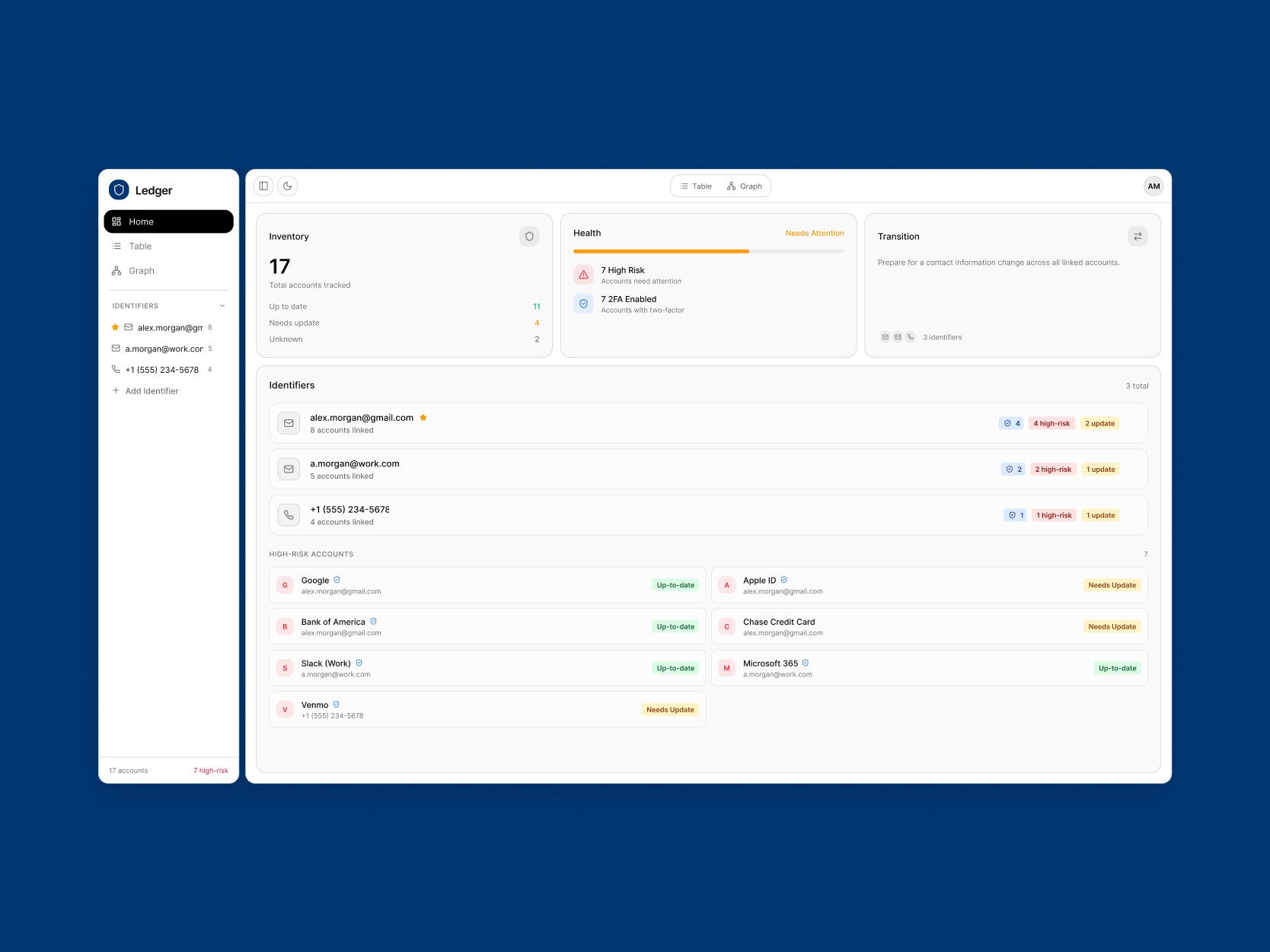
Ledger

Your Entire Digital Footprint at a Glance
See every identifier, total counts, high-risk flags, and more the moment you open the app. No digging and no guessing.

Visualize What Everything Depends On
The canvas shows the relationship between identifiers and accounts as a spatial map, so the dependencies across your entire digital footprint are visible at a glance.

Manage Every Account Without the Chaos
Filter by risk, update statuses, and organize accounts by identifier from a single structured view, so nothing in your inventory gets overlooked or falls out of date.

Change Anything. Miss Nothing.
When an identifier changes, Transition Mode will generate a prioritized update plan to help you quickly work through accounts in the right order.
Reflection
What a Concept Can and Can't Prove
Ledger started as a personal frustration and ended as a working concept. Ten days is enough time to define a model, design four surfaces, and pressure-test the core idea against itself. It is not enough time to know if any of it would hold up in the hands of real users. The reflection below is what this version of the project did prove, and the questions it would need to answer next.
PROVED
Structure: Model holds across each surface without strain
OPEN
Maintenance: Will users input and keep inventory current?
TEST
Canvas: The product's biggest feature to validate.
CONCLUSION:
Concept projects sit in a different category than shipped work, and treating them otherwise is dishonest. What this one offered was the chance to take a problem I had lived with, define a model from scratch, and design against my own first instincts without a brief telling me what the answer should be. The result is a product I would build if the opportunity came, and a clearer sense of what I would want to learn before I did