Modernizing Event Hosting
Redesigning the event hosting experience to simplify live event management and support faster, more confident volunteer coordination.
Website
5 Months
Lead Designer
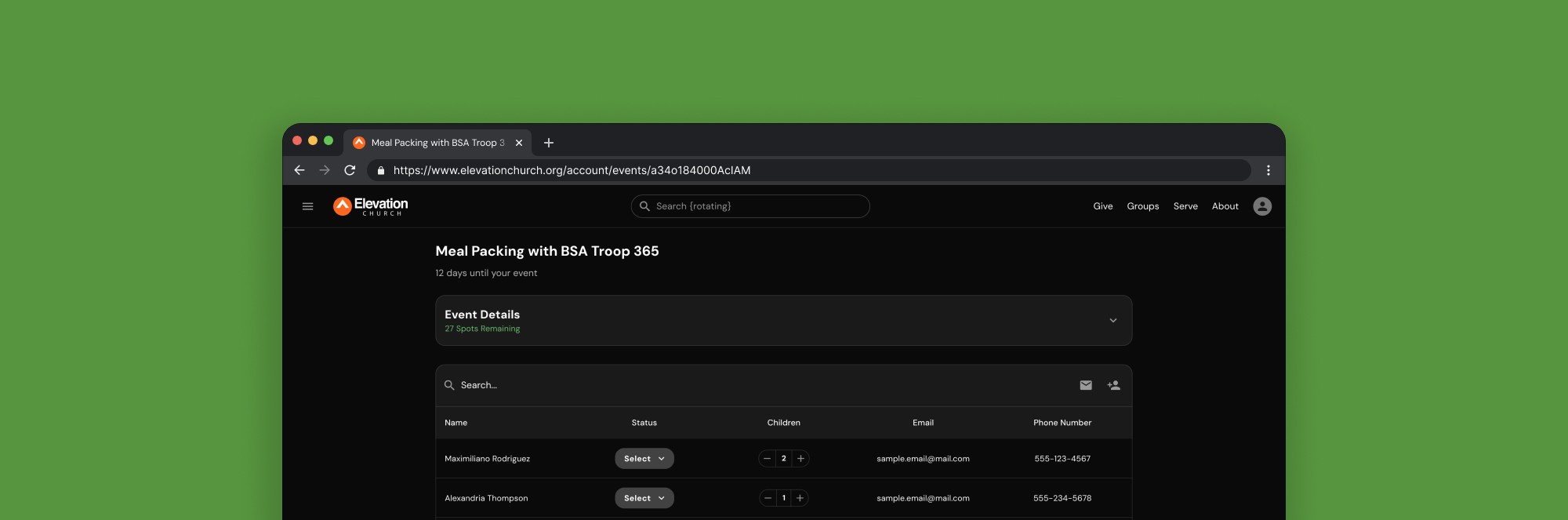
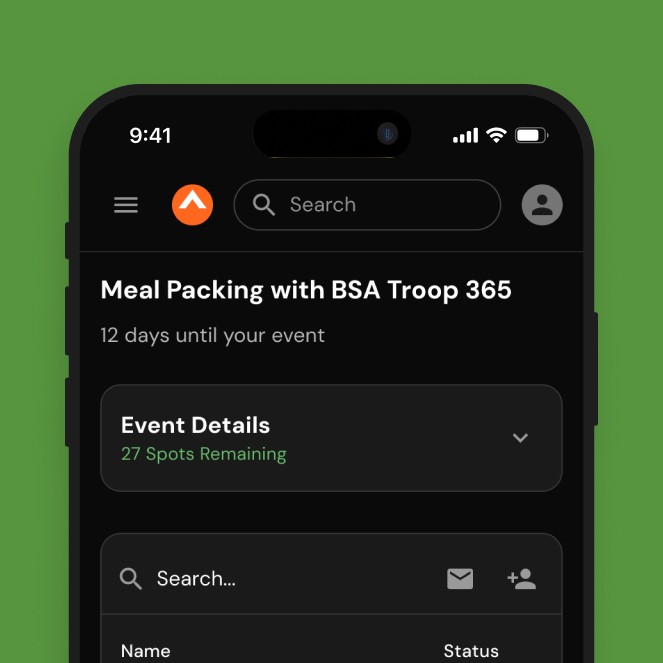
Context
From Intention to Execution
At Elevation Church, volunteers don’t just sign up for events, they run them too. During LOVE Week, hundreds of volunteer hosts are responsible for managing and facilitating these events in real time. Unfortunately, the tools available to support them created more friction than value. As the Outreach department prepared to deprecate this system, there was an urgent need to rethink how hosting worked; shifting it from an isolated admin task to a more natural extension of the same experience volunteers were exposed to during sign-ups.
PROBLEM
The existing hosting system was complex, disconnected from the main church website, and prone to friction during peak usage. With the existing system set for deprecation, a new tool that was easily adoptable was needed. Any failure to deliver on time and without issues would directly impact LOVE Week, event execution, volunteer confidence, and overall outreach effectiveness.
GOAL
Create a hosting experience within the church’s web ecosystem that enables volunteer hosts to confidently manage their events. The solution should be intuitive, focused on real hosting tasks, and launched before an immovable deadline.
Research
Understanding The Problem
To understand how we could deliver the most value in the new version, I focused on how volunteer hosts actually operated before, during, and after an event.
Instead of evaluating isolated screens, I centered my research on the actual responsibilities of hosting an event. This made it clear where the existing system added friction and where I should focus my efforts to improve clarity and speed.
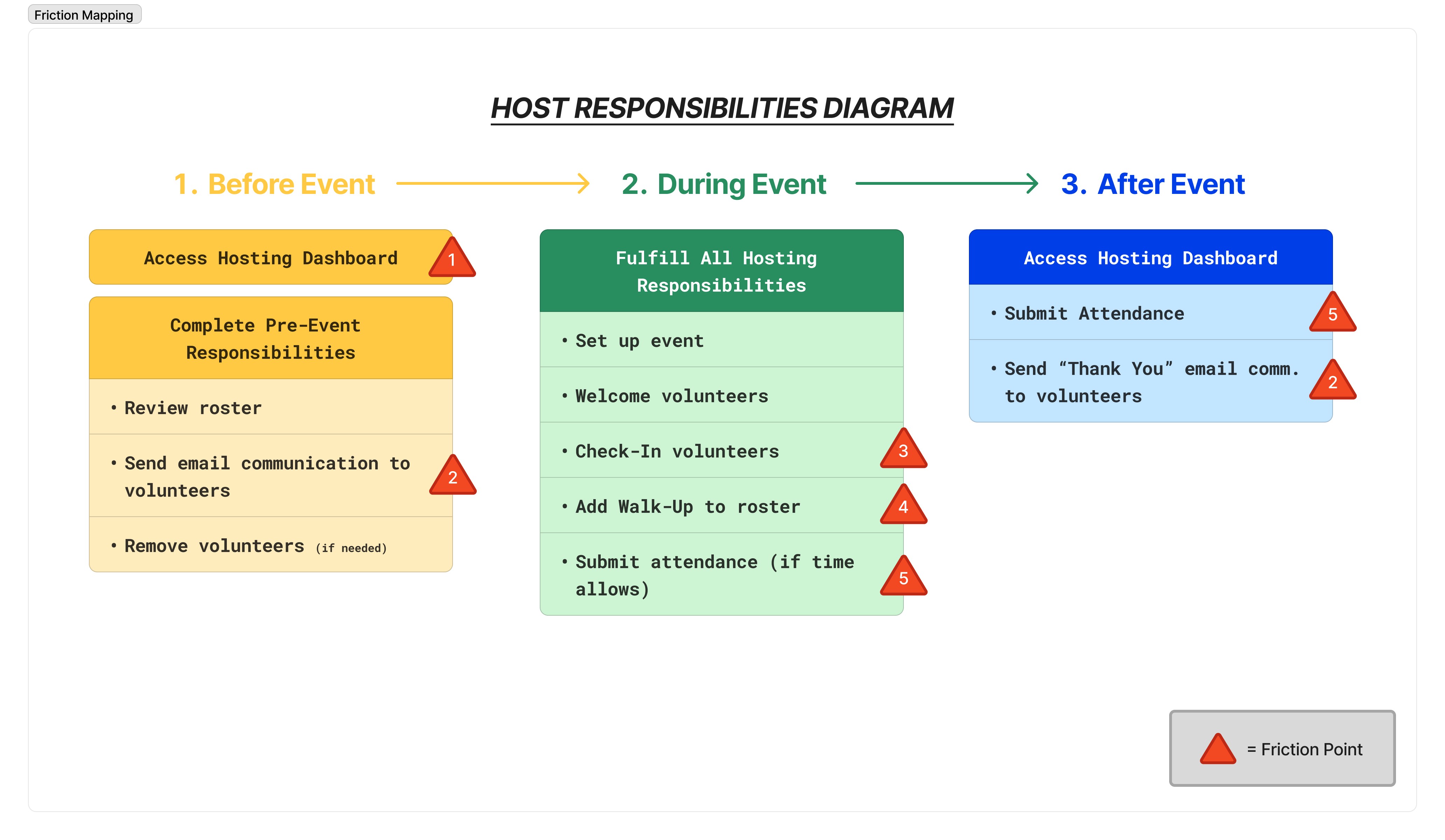
1). Required a separate login • 2/5). Broken communication tool/feature • 3). UI = High cognitive load • 4). Paper form slows down check-in process
DISSECTING THE EXISTING SOLUTION
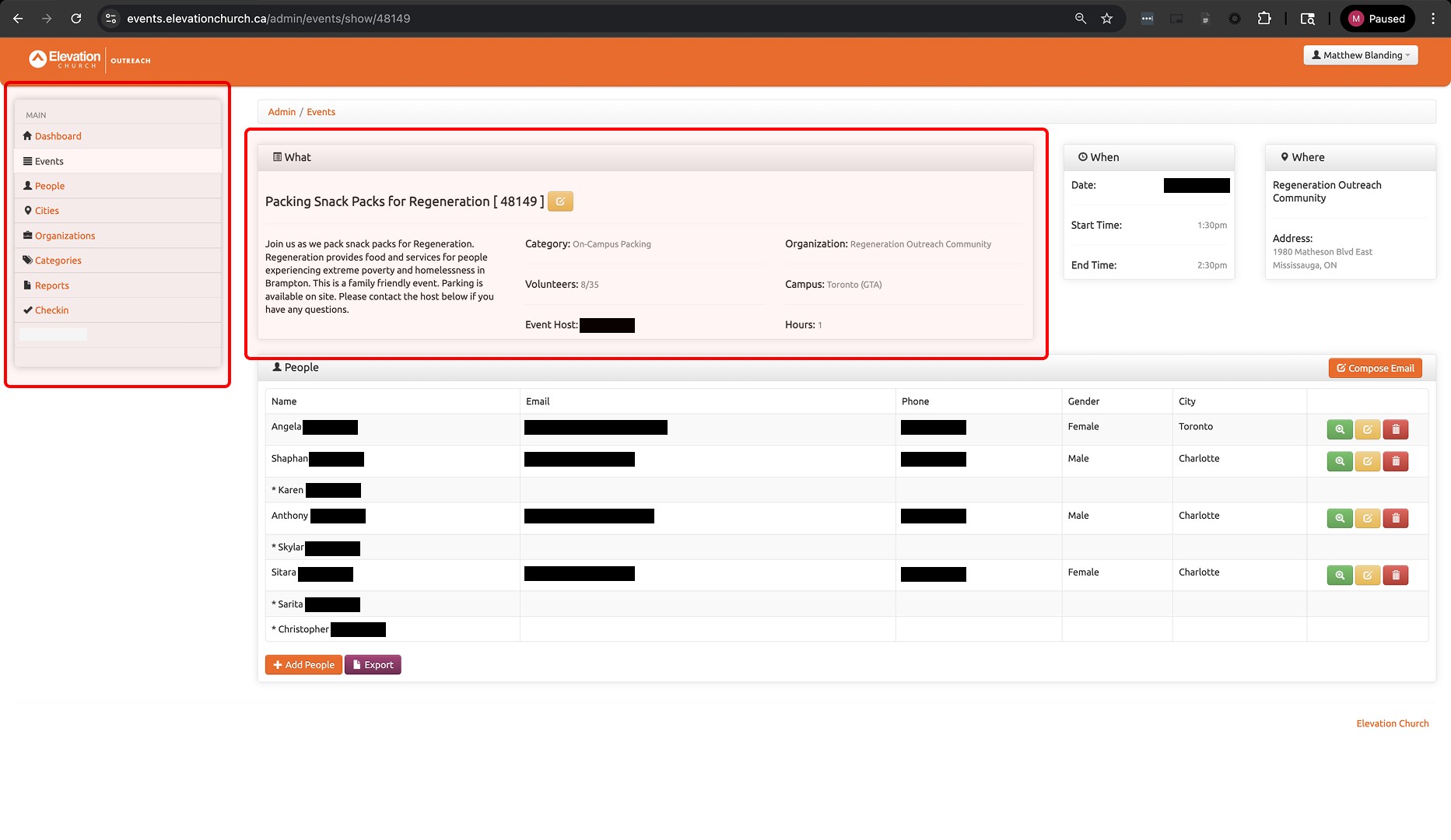
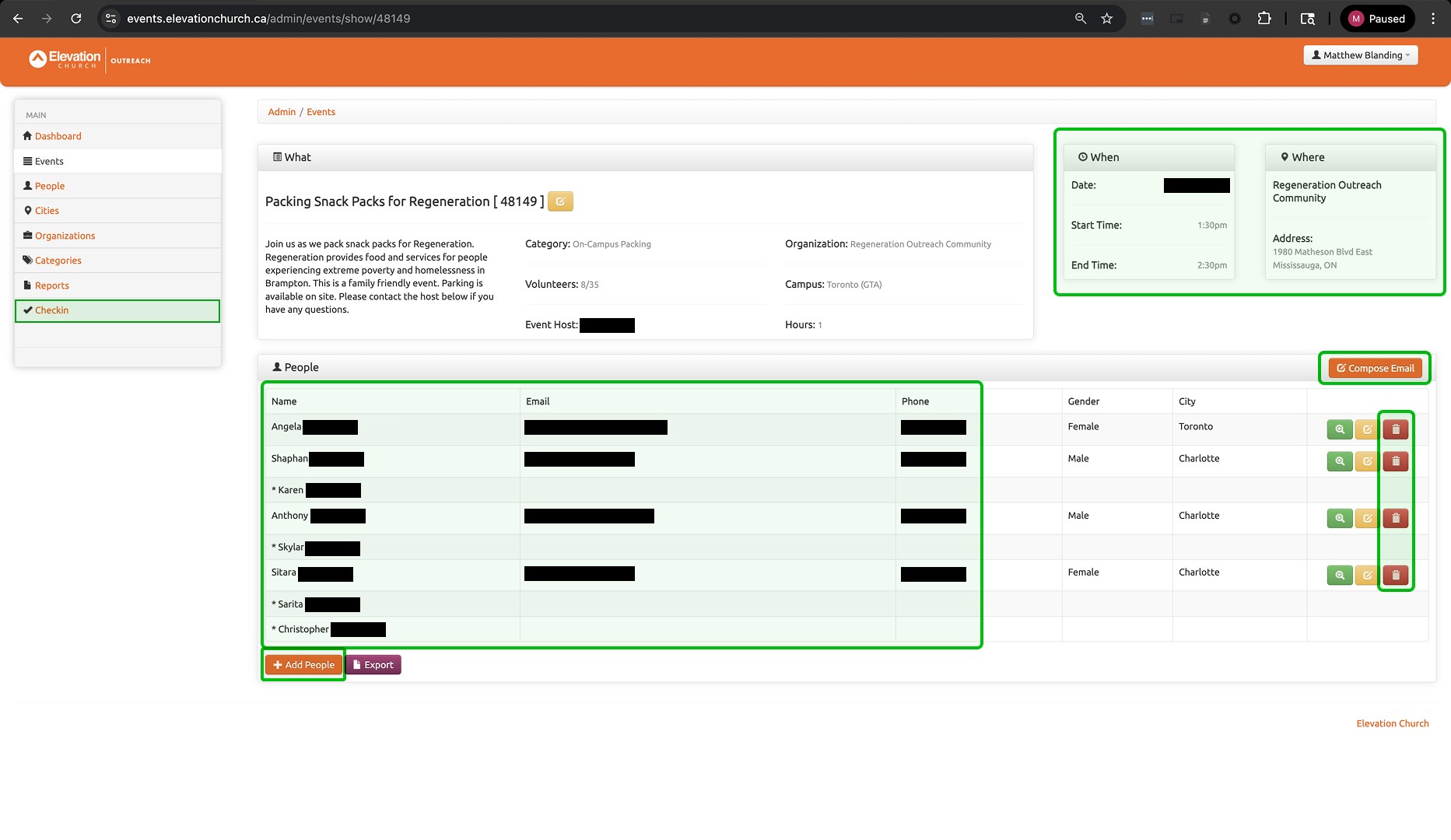
The dashboard displayed ALL event info in addition to core actions. This increased cognitive load and pulled focus away from managing people in real time. (Items in red could be removed to help reduce load)
Hosts had access to ALL actions related to the event, most were not needed while hosting. (Items in green could be kept while cutting the rest to better support the hosts)
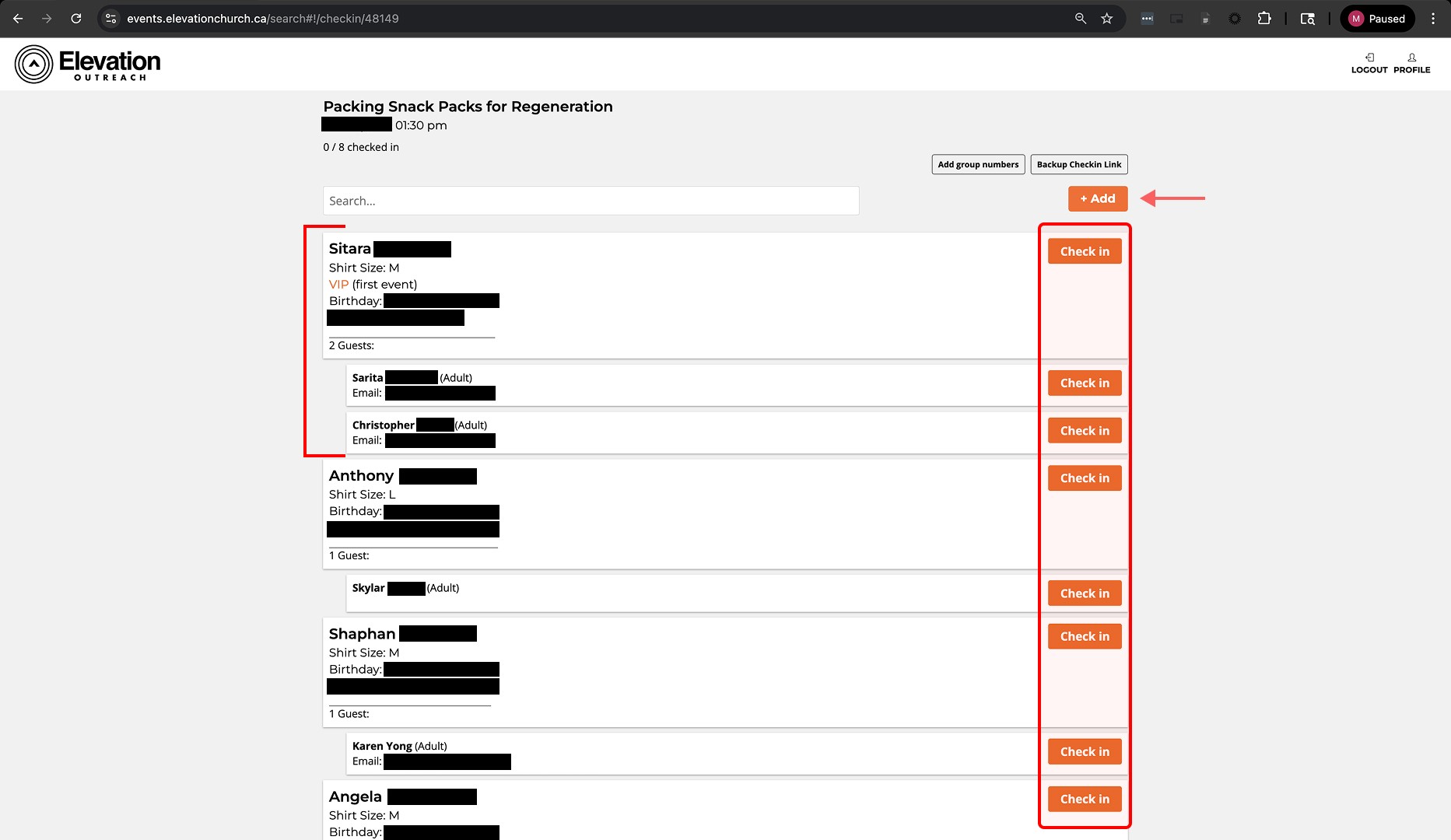
Starting the check-in process took hosts to a separate screen that busy (visually) and behaved differently from the main dashboard. This caused friction during the most time-sensitive part of hosting.
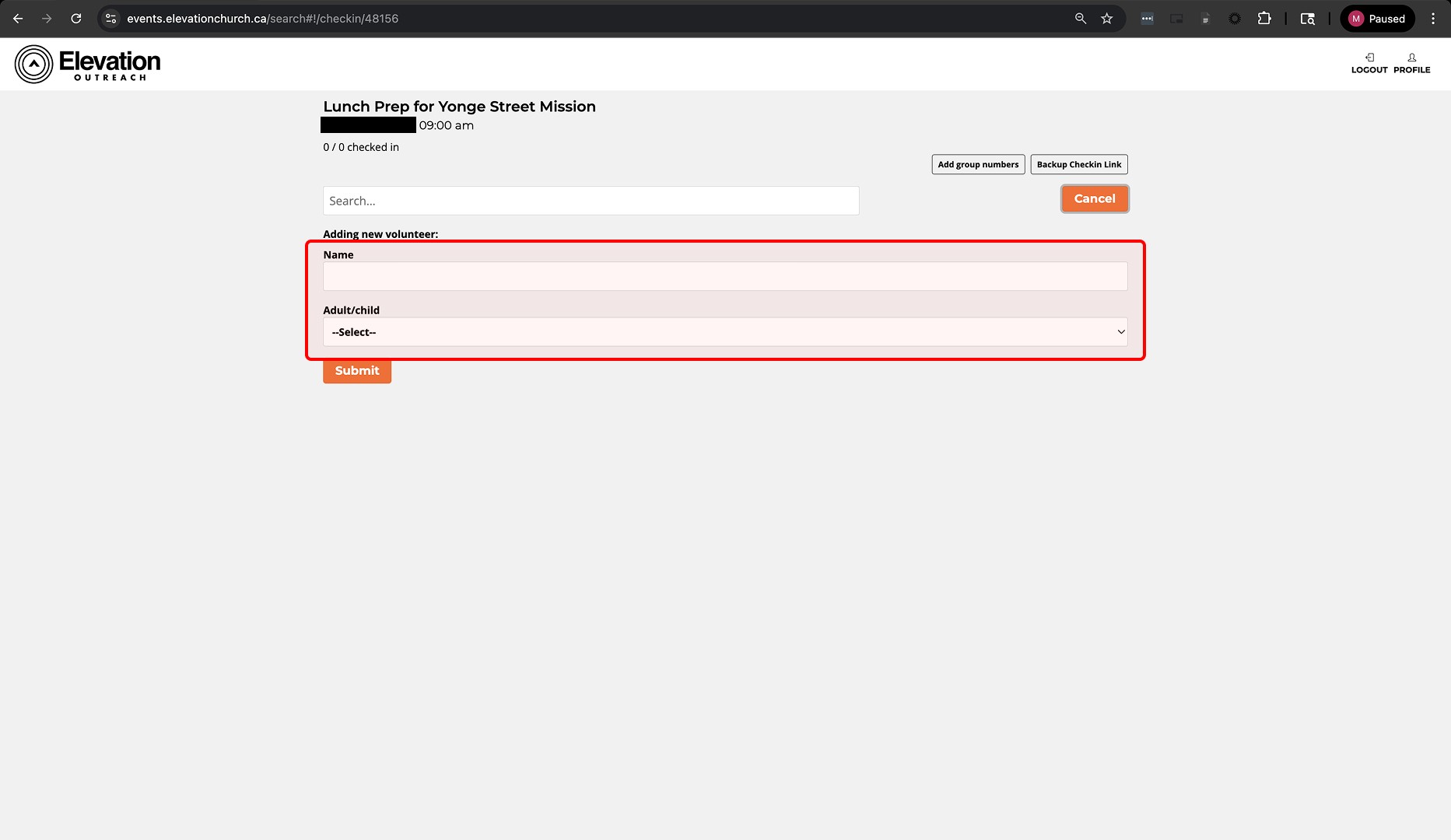
The digital “add walk-up” feature captured minimal information. Hosts relied on a paper form to collect complete details, leading to fragmented workflows and inconsistent records.
INSIGHTS & TAKEAWAYS
Research revealed that the existing system was not aligned with how hosts actually operated before, during, and after an event.
Hosting is a live, people-facing responsibility. It should be simple.
Cognitive overload created more friction than originally anticipated.
Incomplete digital flows created space for errors in data/records.
Design
Crafting the Solution
With a better understanding of where friction occurred in the existing experience, I began exploring design directions that aimed to simplify the entire journey (discovery to sign up). To do this effectively, identifying limitations early was imperative. Below are the three (3) limitations I identified:
Limitations:
Development effort was split (discovery flow, new account system, and this).
New flow must be designed, built, tested, and shipped by a fixed deadline (no flexibility).
Solution needed to be scalable + serve as a foundation for future event-based dashboards.
SOLUTION EXPLORATION
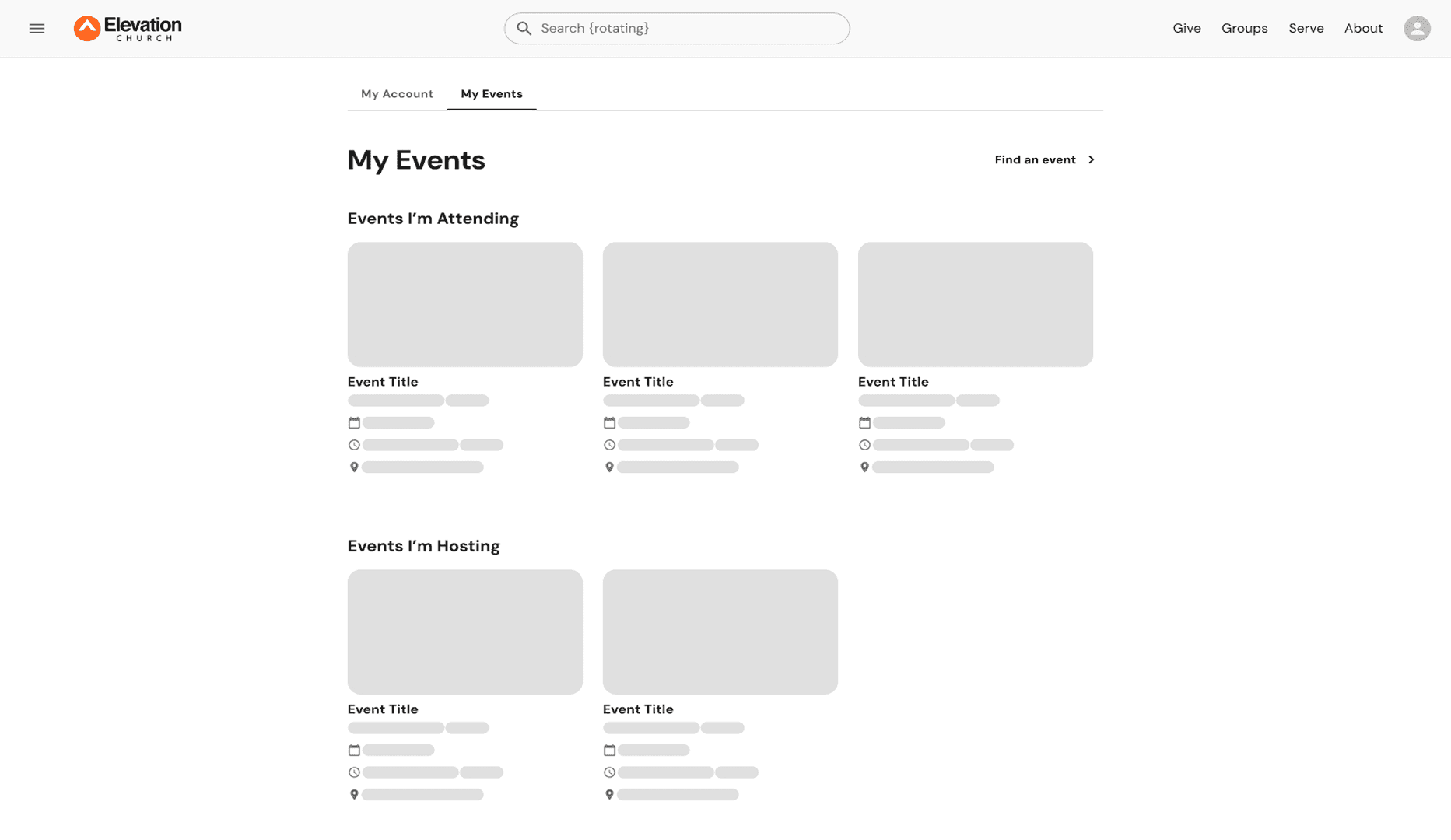
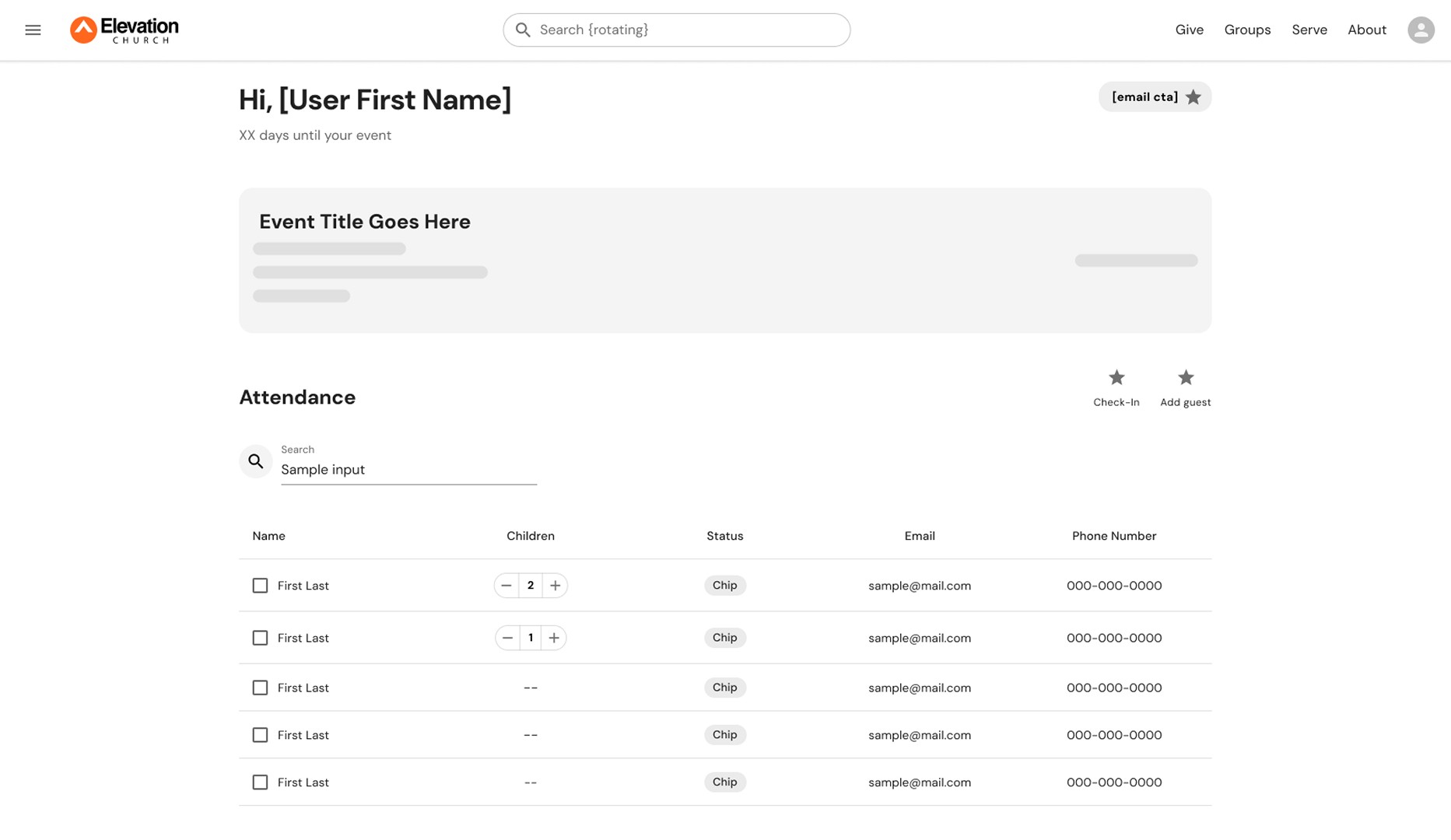
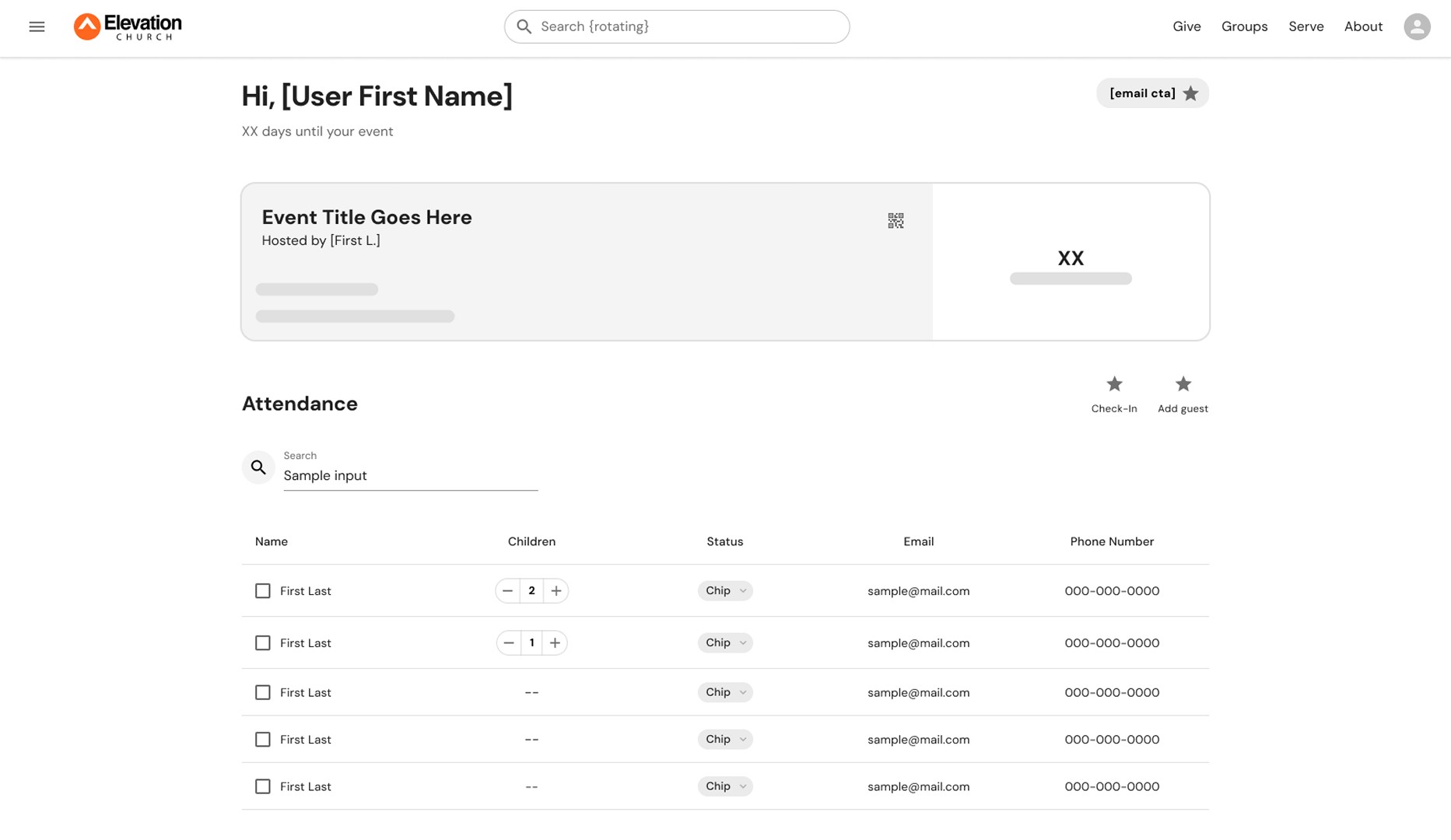
Hosts can access their events directly through new account profile.
Explored a singular screen prioritizing roster visibility and core hosting actions.
Explored a single screen prioritizing key information.
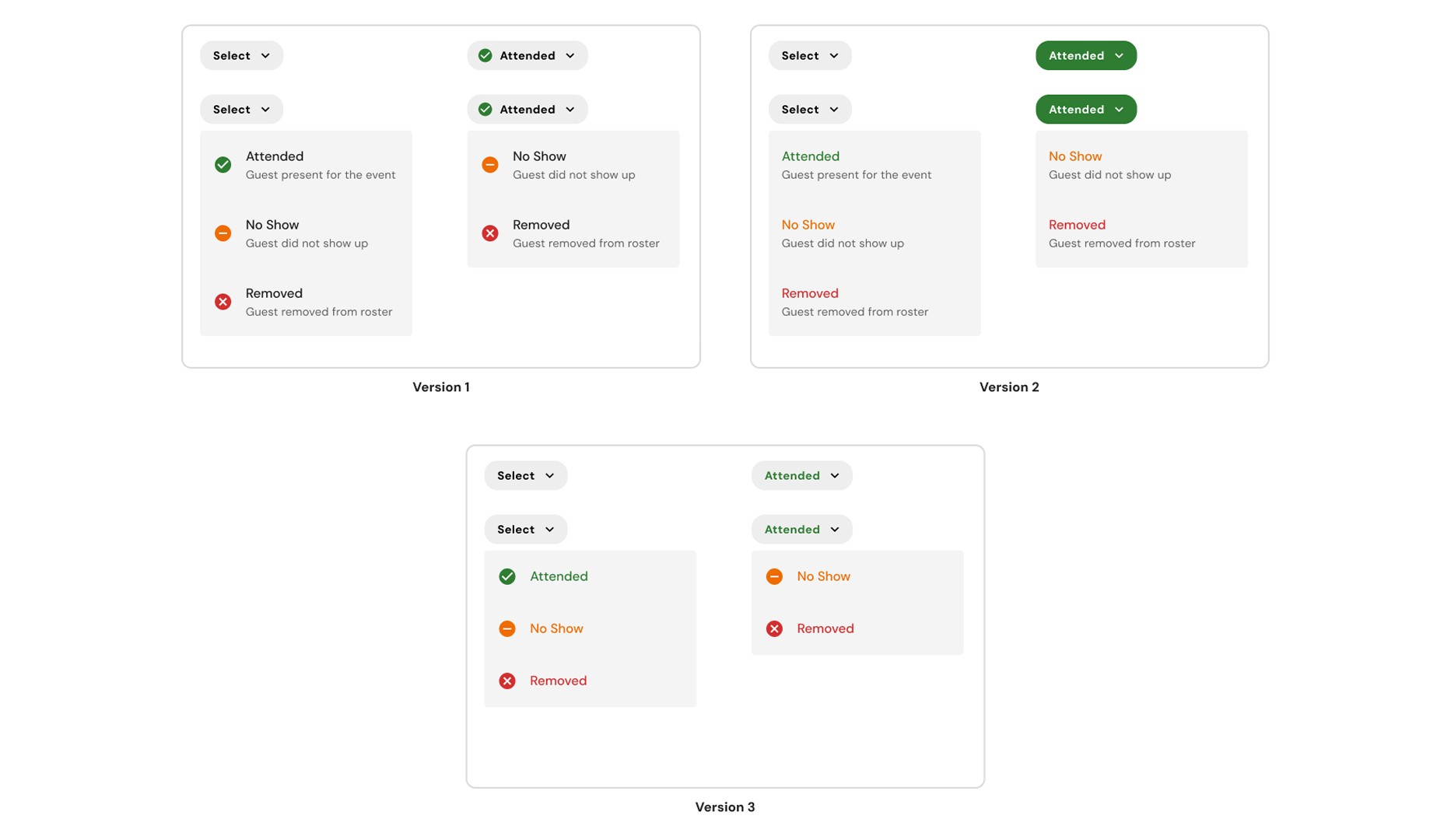
Component exploration for dynamic attendance statuses (map 1:1 to backend status types).
CONCEPT VALIDATION
Users found value in having a single screen that displayed event details, the roster, and all required host actions.
Reducing context (screen) switching improved host speed and confidence during events.
A task-first layout better supported the competing demands of event hosting.
Event details were useful but needed to be visually deprioritized once hosting began.
Submitting attendance one guest at a time slowed hosts down during check-in.
The interface needed to support multiple hosts working the same event.
HIGH IMPACT REVISIONS:
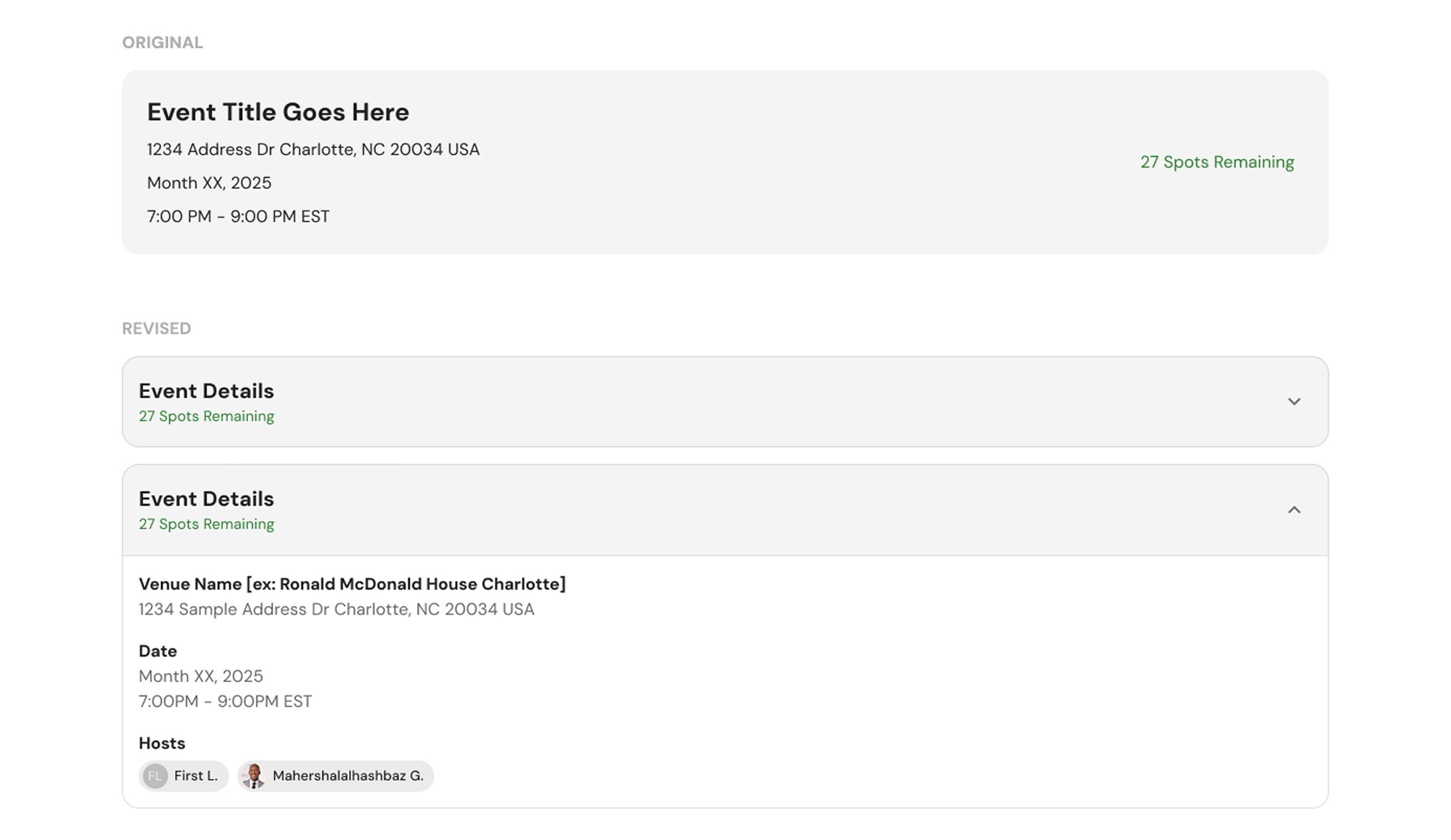
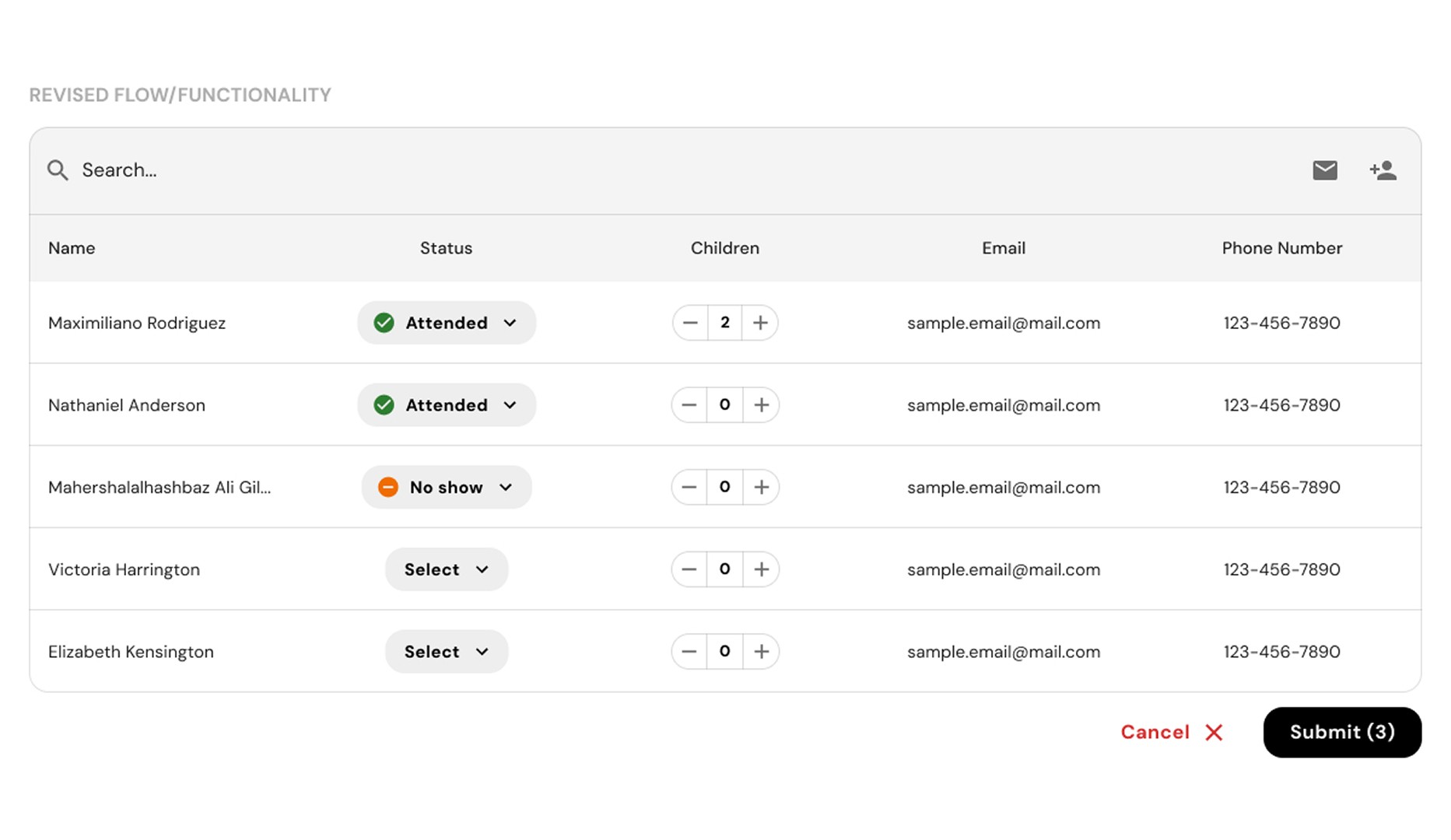
Revised the event details component to allow for deprioritization, bringing the core hosting task (check-in) to the forefront. Also introduced batch check-in functionality, allowing hosts to process multiple guests in a single submission for faster event management.
USABILITY TESTING (FULL CONCEPT):
≈90%
completed check-in without staff help
4.0/5
avg. rating for check-in intuitiveness
88%
successfully added a walk-up to their event
Results from usability testing showed that a task-focused hosting experience supported speed, clarity, and host confidence during outreach events. Additionally, findings confirmed that the learning curve introduced by the new account system was less steep than originally anticipated.
Final Design
Event Hosting System

Unified Event Access
Hosts can access and manage their assigned events directly within their existing account profile, eliminating the need for separate logins and reducing friction before hosting even begins.
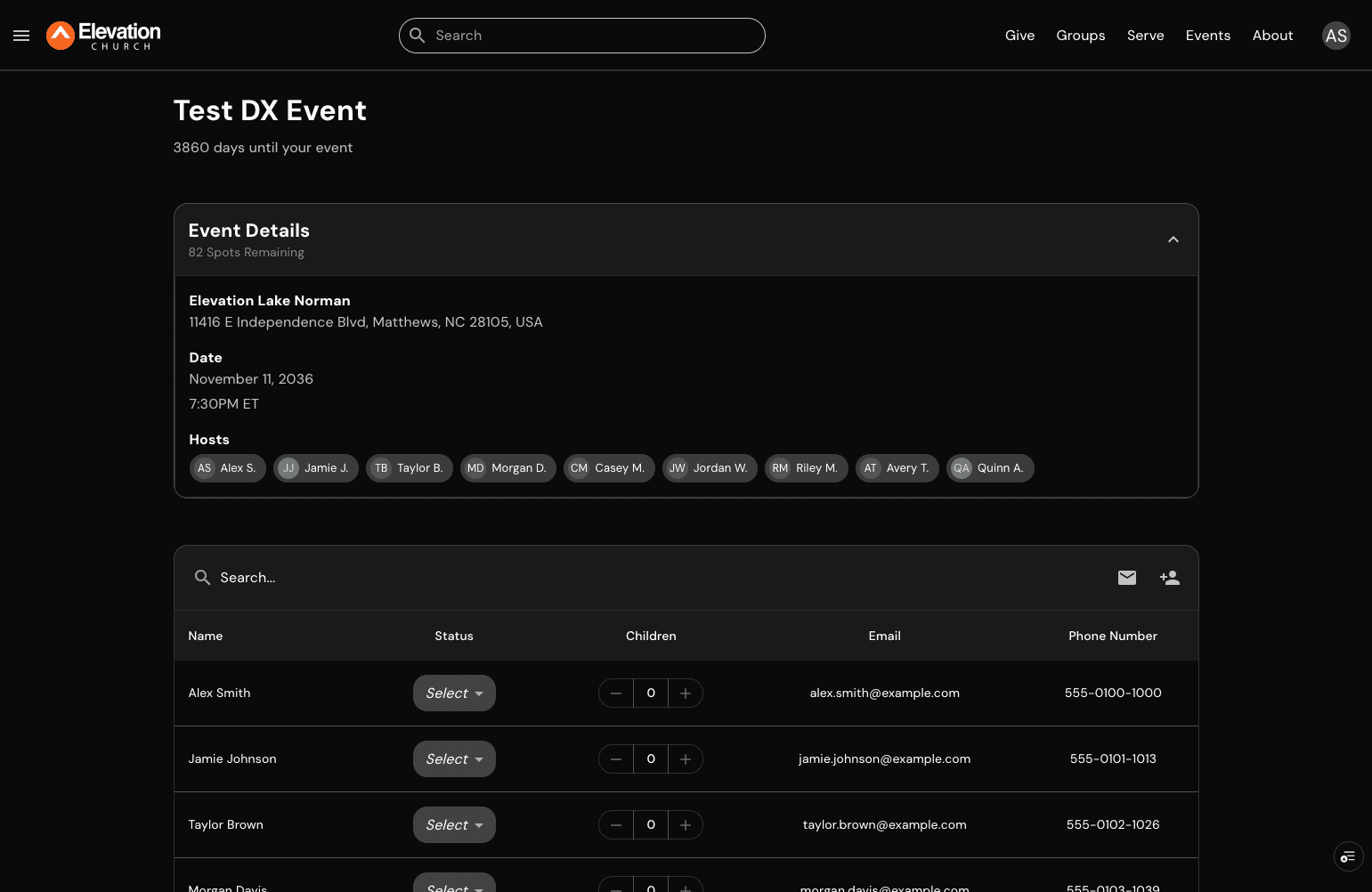
Task-First Hosting Dashboard
A streamlined dashboard prioritizes the roster and live actions, allowing hosts to focus on confirming attendance, managing walk-ups, and completing key tasks without distraction.

Real-Time Check-In Efficiency
Built for live environments, hosts can update attendance statuses and batch submit changes directly from the roster, reducing repetitive actions and improving speed during high-traffic moments.
Reflections
Impact & Final Thoughts
Launching ahead of LOVE Week, the redesigned hosting experience became the primary way volunteer hosts managed their events in real time. By replacing the previous system, the new experience reduced the friction that previously slowed check-in, skewed data records, and required staff intervention during live events. When the first LOVE Week events went live, the internal Slack channels set up to triage any urgent issues was quiet. This was a first for an initiative at this scale, and a moment the team still talks about.
MEASURED IMPACT DURING LOVE WEEK
764
Unique hosts managed events through the new dashboard
17%
Increase in post-event check-in completion rate
1,485
Total events hosted across 12 countries
FINAL THOUGHTS
The check-in infrastructure built here was designed for reuse from the start. That decision made it a platform contribution, not just a feature, allowing us to establish a strong foundation for other products on our roadmap.
Operating under a strict deadline sharpened my ability to make scale-conscious decisions. This mindset allowed me to deliver a high-quality MVP while ensuring the underlying approach and concept remained flexible enough for future growth.